


Gell817
Participant
October 2, 2020
Question

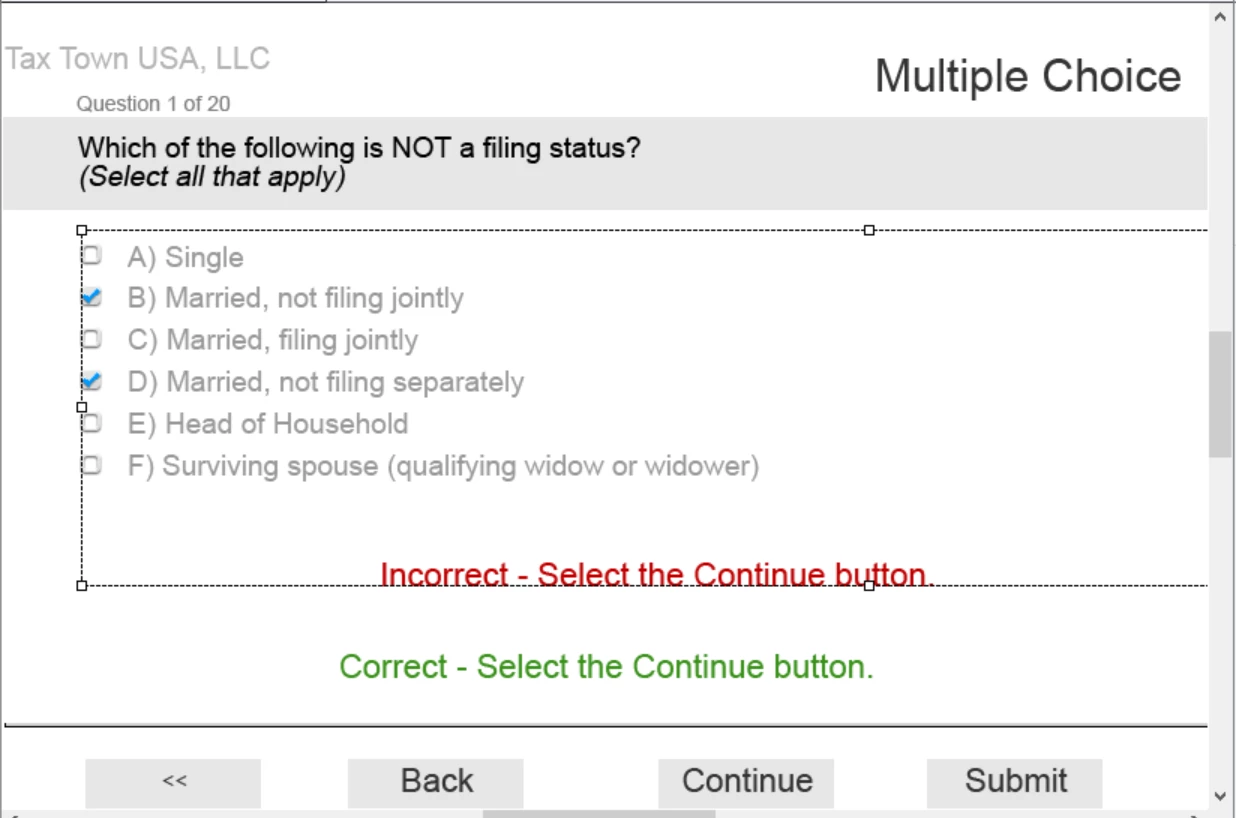
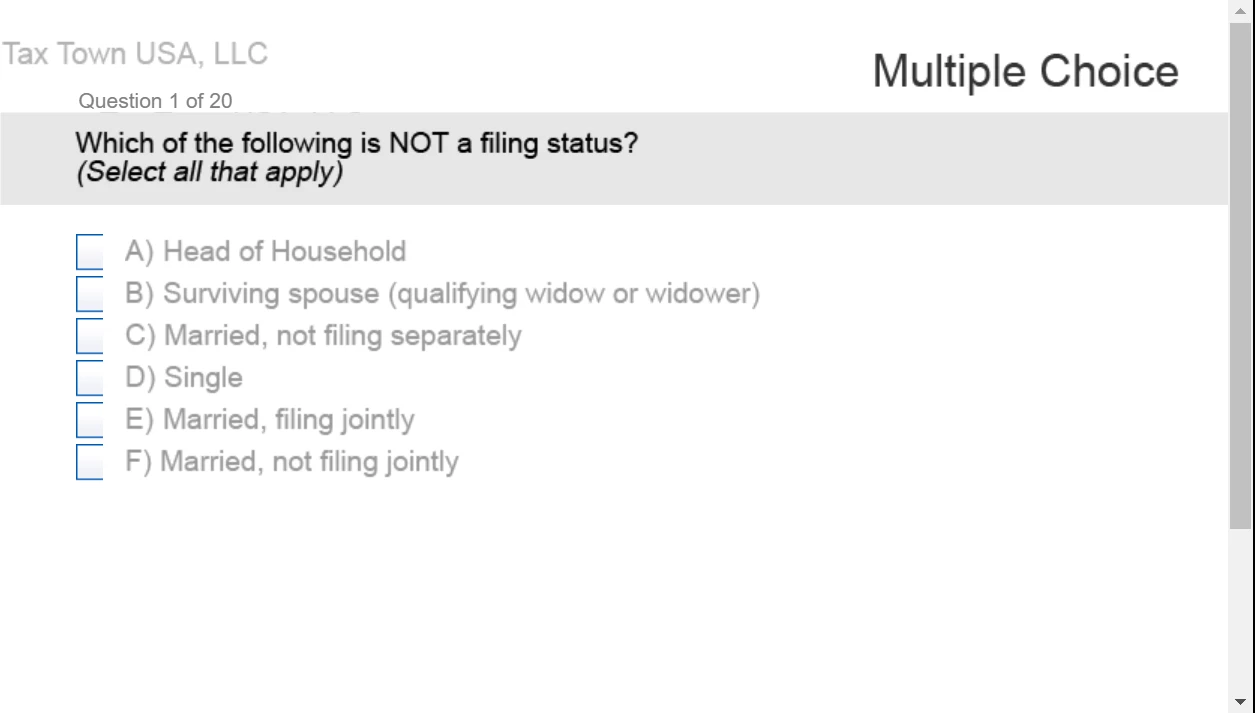
Error with check boxes in Quiz response area (Export from Captivate to Adobe Prime)

  • October 2, 2020
  • 1 reply
  • 185 views

The check boxes in my Captivate quiz only show partially in Adobe Prime. I stretched the outer box of containing all of the fields, as well as adjusting the align and increase/decrease indent settings. I'm not seeing where to add space after the check boxes. The aspect ratio was modifed so content could fit properly in Prime (836W x 627H). 


I've included screenshots from both Captivate and Prime
This topic has been closed for replies.

1 reply

Paul Wilson CTDP
Community Expert
Community Expert
October 5, 2020

In this instance, I would reach out to Adobe. This isn't something the user forums will likely be able to provide an answer for. You might need technical support. Personally, I've never seen what you've captured. I wonder if your browser is set for a greater zoom than 100%. That might adjust the size of objects and therefore cut them off. If not, send an email to CaptivateHelp@Adobe.com for assistance.

Paul Wilson, CTDP