
Inspiring
June 1, 2018
質問

Exporting Captions to Microsoft Word 365 fails

  • June 1, 2018
  • 返信数 1.
  • 345 ビュー

We are using the latest version of Captivate 2017 and Microsoft Office 365 and Windows 10. When we attempt to export captions and closed captions, we get the following dialog box and the system hangs up
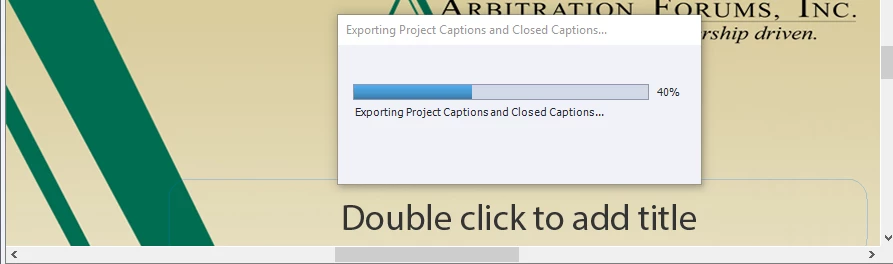
The only way to clear the hang up is via Task Manager.

Microsoft Office 365 open fine in all other respects. Any Ideas?

このトピックへの返信は締め切られました。

返信数 1

Paul Wilson CTDP
Community Expert
Community Expert
June 2, 2018

The first thing I would do is to test it out with a simple and relatively small project (just create a new project with the same theme but make it just a few slides long).  If it works there is a good chance that it could the size or something  else about the offending project itself.

I ran into a similar circumstance as yours during my time using Captivate 9, or more specifically on a responsive project that used five breakpoints. Each text object is duplicated for each breakpoint so the resulting export was five times larger than a non responsive project would be. I used a process of elimination to find out where the true problem was with my project.

To help narrow this down you might try saving copies of your project with the first or second half of the slides removed then attempting to export with the smaller halves. For arguments sake, let's say the second half of your slides exports fine but the first half has the same problem as the full project, you've narrowed down the offending slide or text object within to a smaller selection of your project. Repeat this process until you can know which slide or maybe even which text object is causing the hang up.

In my case I had one question slide that was corrupt. When I recreated that slide from scratch and delete the original it expired just fine.

Paul Wilson, CTDP
KB in FL作成者
Inspiring
June 2, 2018

Hey Paul:

Yeah, we tried that. We created a 4 slide project with a text object on each page. Used the Blank Theme. Same result. Both the original and test projects will print Storyboards and Handout as normal but chokes Word 365. Same project(s) will export captions and closed captions if earlier versions of Word are used.

Paul Wilson CTDP
Community Expert
Community Expert
June 2, 2018

I would send an email to captivatehelp@adobe.com. Sounds like something more technical than just a corrupt slide.

Paul Wilson, CTDP