


Fade looped background audio works in Preview but not Video
I have been creating software simulation videos with speech (from Amazon Polly) on most slides and backround music running through the Project, which I fade on the last page (which is a company bumper slide, about 12 seconds) using the Fade option in the Audio dialogue. All works fine until your video is longer than the audio track and you have to loop the audio (it still fades at the end of the audio track but doesn't recognise the end of video time, which i can understand).
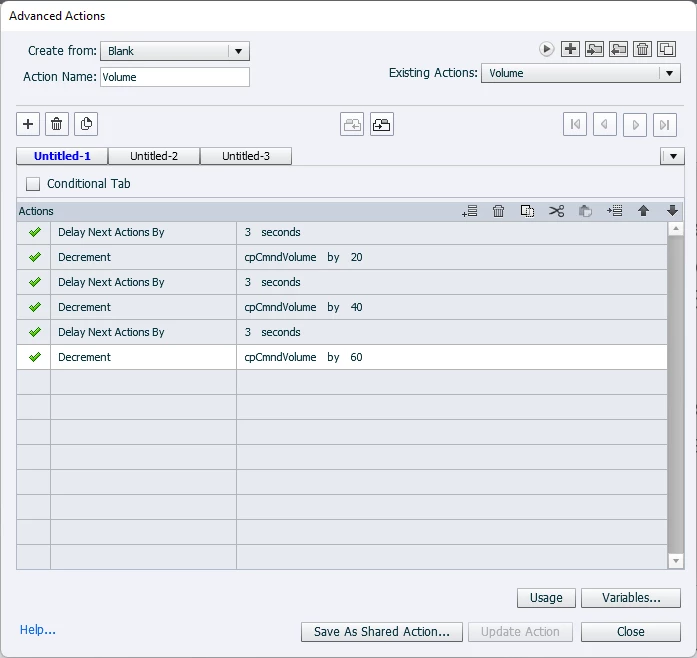
I've looked through the Help and most responses I found were that it couldn't be done but I thought it should be possible with "Advanced Actions", so created a list of actions, as below and set to Action on Entry of the last slide. I tested in the Preview and it works, audio fades through the slide but when I created the Video, nothing happened and the audio stays at the same volume and then stops abruptly at the end, which, of course, sounds terrible. Hoping someone might know why the Video is not doing what the Preview does?

 AdChoices