balot07
Participant
November 17, 2016
Question

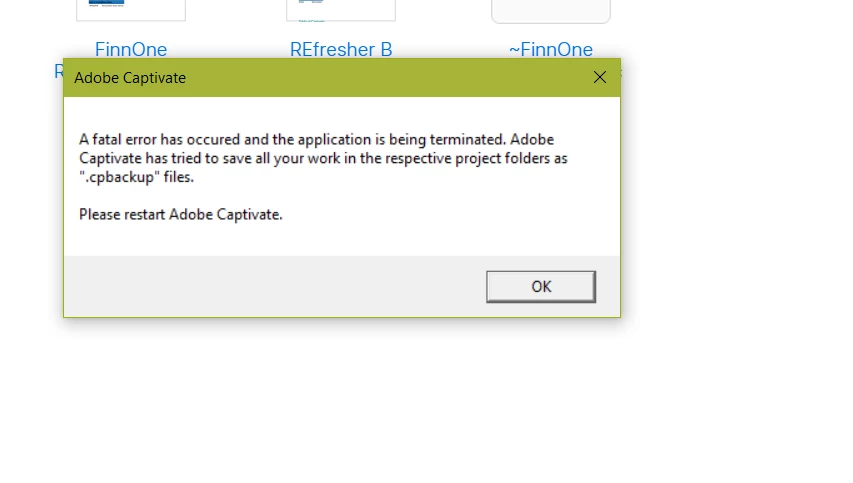
Fatal Error in Captivate

  • November 17, 2016
  • 4 replies
  • 453 views

Hi there,

HELP! I have a deadline tomorrow and my Captivate is playing up. Every time I open my file I get the following error message. Can anyone advise on what to do please? Thank you.

-Marilou
    This topic has been closed for replies.

    4 replies

    ohhhsunlove
    Participant
    November 17, 2016

    Hey Balot07,

    I am not sure why this fatal error occurs but I have found a workaround that helped me, when this error popped up.

    Go to the file "cpbackup" that Captivate saved for you, during the fatal error

    Right Click and select "Properties"

    Under the "General" tab, go to "Opens With" and select the "Change" button

    Select "AdobeCaptivate" as the program

    Select "Apply" to save the change

    This should now open your Captivate file, from where it was right before the fatal error.

    I typically save it as a new file, just as a safety precaution, but this fenagling saved my butt during a deadline a few weeks back.

    Hope this helps!

    RodWard
    Community Expert
    Community Expert
    November 17, 2016

    You don't actually need to go to this trouble to open a Backup file.  Just delete the .bak file ending and you have the normal CPTX file as it was saved BEFORE you were last using that project.

    ohhhsunlove
    Participant
    November 17, 2016

    Mine definitely did not save and Captivate actually replaced my most recently saved version, with another I had worked on 8 hours prior to the fatal error. This is just something that worked for me, to remove the error and continue working on my Captivate file.

    Apparently, I was just that one lucky person, that Captivate decided to try and screw over, royally.

    But thank you for the help; I'll make sure to check my files first, prior to my work-around.

    Thanks so much!

    TLCMediaDesign
    Inspiring
    November 17, 2016

    I'm not on that computer now Rod, but I upgraded to the latest version about a month ago. So which ever version that was.

    Participating Frequently
    November 17, 2016

    This happened to me earlier this week (Captivate 9) and was resolved after our MIS dept. downloaded the Adobe update. I was afraid I was going to need to reinstall Captivate but the update resolved my issue. I hope that works for you and you meet your deadline. Good luck.

    RodWard
    Community Expert
    Community Expert
    November 17, 2016

    First, establish whether the issue is something related to the actual file you are opening or whether it's some conflict with another file on your system.

    Does Captivate crash like this if you just create a new blank CPTX file, or open some other existing project?  If not, then the issue is most likely with some component of your current project.  It may have become corrupted.  IF so, hopefully you have an earlier backup version of the same project from a date BEFORE it started crashing like this.

    TLCMediaDesign
    Inspiring
    November 17, 2016

    It just started happening to me this morning.

    As soon as I click on anything it the recent or new dialog box it crashes with the same dialog box. You can click between the recent or new tabs, but as soon as you make a selection from the choices available it crashes.

    Latest version of CP9 on Windows 8

    CP8 and CP7 work just fine.

    RodWard
    Community Expert
    Community Expert
    November 17, 2016

    Touch wood it's still working fine for me.  What specific version of Cp are you on Dave?
