

kimberlyu44812036
Inspiring
December 11, 2019
Question

Fluid box wrapping

  • December 11, 2019
  • 3 replies
  • 761 views

Hi everyone!!


I am having WAY too much trouble with symetrical wrapping. 

Here is what I have right now:
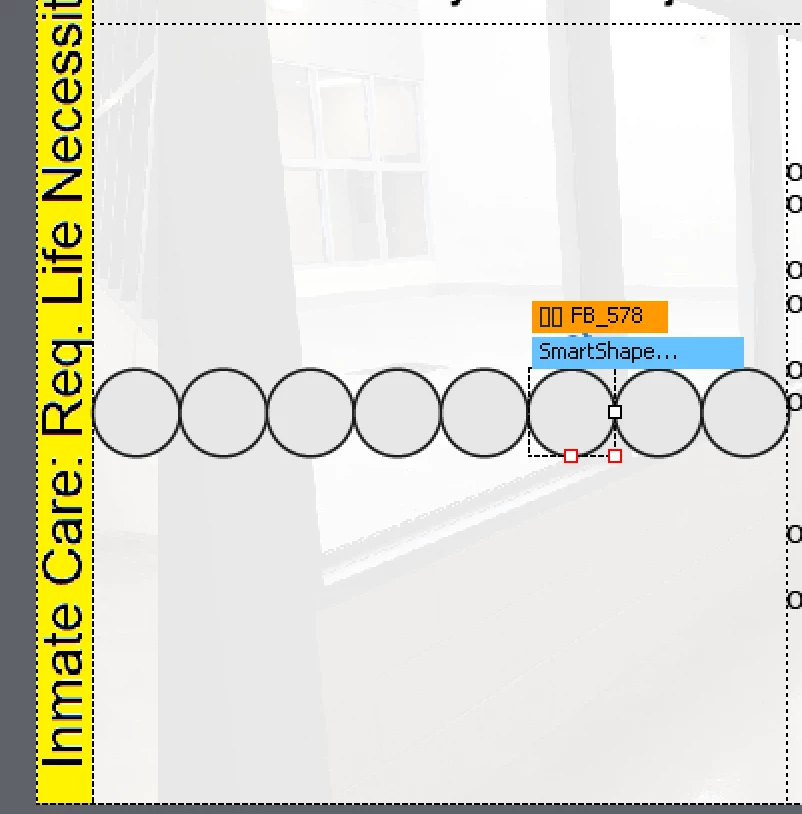
But I want it to wrap more like 4 on top and 4 on the bottom. I set the wrap option to Symetrical but that didn't so anything and then when I try and put padding between them it just makes all the circles smaller instead of actually wrapping them... 


Any ideas as to why???


Thank you!!


This topic has been closed for replies.

3 replies

kdmemory
Inspiring
December 13, 2019

Hi Kimberly,

in my experience the Wrap Options (like Symmetrical) only really work with further nested Fluid Boxes. Meaning you have to create an outer Fluid Box with the Wrap Option Symmetrical, and in this one you nest in your case further 8 Fluid Boxes, for each circle a seperate Fluid Box. That will work:

 Greetings, Klaus

Paul Wilson CTDP
Community Expert
Community Expert
December 11, 2019

The first thing you want to look at is the wrap option percentage. You can set this on the top parent fluid box. The idea is that if you set the wrap option percentage to 80% (as an example) when your screen size gets to 80% of what the desktop size is, the wrap to another row will occur. With eight objects in a fluid box and a wrap option percentage set at 80%, once you are down to approximately 80% of the size of the desktop view, the objects will split in two, and you will have four on one row and four on the next row. Symmetrical will always keep it equally divided if you have an even number of objects. If the objects are an odd number, symmetrical does the same as one row / one column. If you would like to have more control at what percentage various fluid boxes wrap at, open your preferences (Shift+F8) and select the Defaults Category. Then select Enable WrapPoint to set unique wrap point percentage values for each fluid box independently of one another. I find this gives you greater control over when various wraps occur.

Paul Wilson, CTDP
kimberlyu44812036
Inspiring
December 12, 2019

Paul, 

I am so excited you answered my question! I have been watching so many of your videos to understand these fluid boxes. I am new to the Instructional Design field, I graduated with my masters in august 2018. This job I am working on now is a contract job, I am trying to build my experience with.  I do understand the wrap percentage, I was just hoping there was a way to have it have 4 on top and bottom, or side by side, in the largest desktop view as well. I did end up just having 2 fluid box so the Smart shapes could be larger. Like this:


Honestly, I am not a fan of the responsive project and fluid boxes. It seems so restrictive to me.


Kimberly Usry

Lilybiri
Legend
December 12, 2019

Bit off topic, but you may ignore that Fluid Boxes is not the only way to make a project viewable on all devvices:


http://blog.lilybiri.com/fluid-boxes-or-breakpoint-views

Lilybiri
Legend
December 11, 2019

How did you test and which version on which OS are you using?


If you have set this to Symmetrical, and you make the resolution smaller, two circles at a time will move down, ending up with 4 on top and 4 on bottom, but first you'll have 6 on top and 2 on bottom.