
michelem22350618
Known Participant
January 9, 2020
Question

Font not displaying correctly

  • January 9, 2020
  • 6 replies
  • 402 views

My default caption font is displaying at a larger size when I run my project in my LMS (Schoology) on my Mac.  It looks fine in preview in Captivate, it also looks fine in the LMS on a Chrombook or iPad.  The font is trebuchet, and all my master slide headings in the same font and font size display fine.  It is just the text caption.
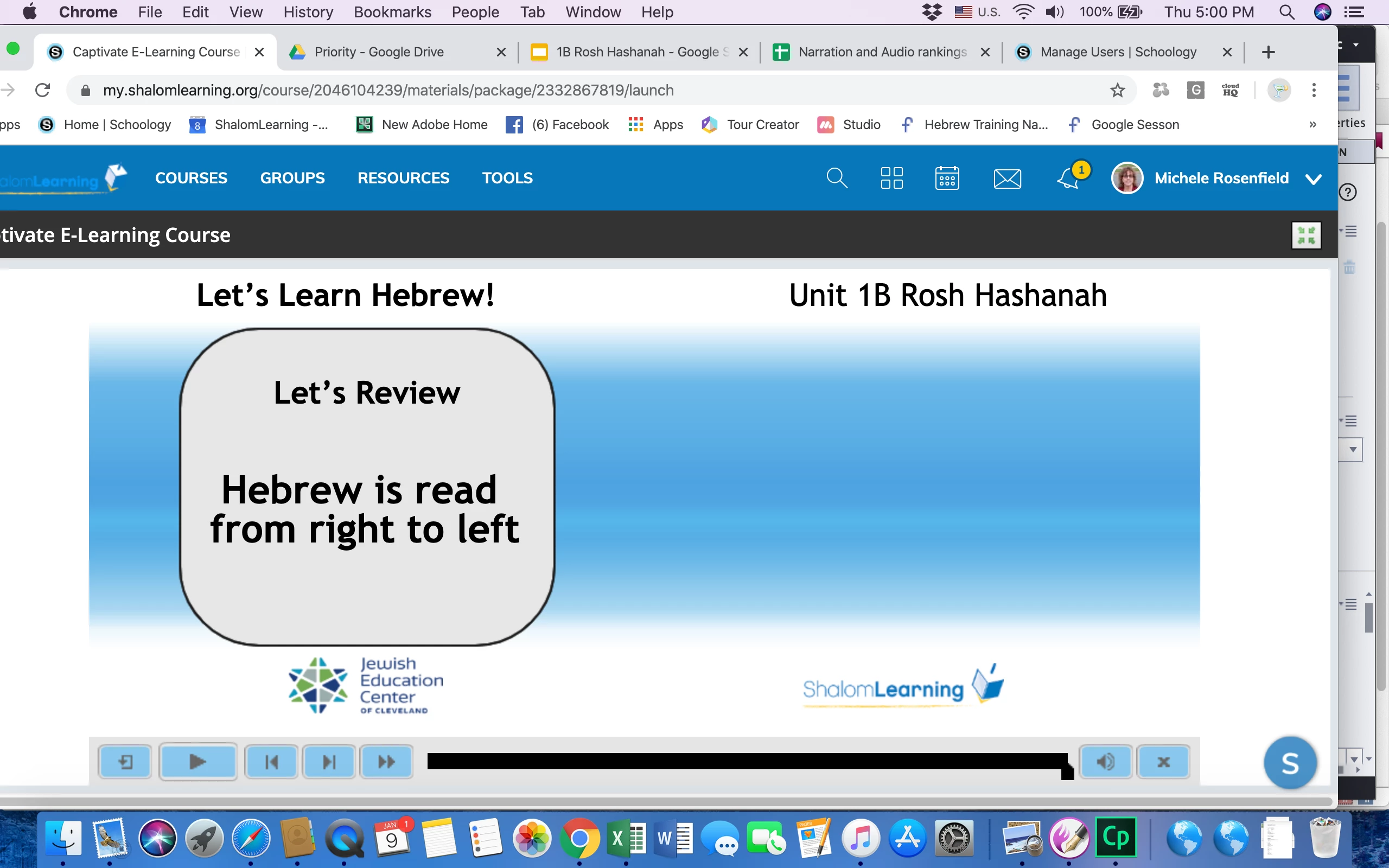
This topic has been closed for replies.

6 replies

Lilybiri
Legend
January 10, 2020

Are you talking about a responsive or a non-responsive project?

michelem22350618
Known Participant
January 10, 2020

A responsive project.

Lilybiri
Legend
January 10, 2020

Sorry, see that you are on Mac and I am on Windows. Cannot help you with typical Mac issues.

Eric Dumas
Community Expert
Community Expert
January 10, 2020

Hi,

Can you confirm the version of the software you are using.

Did you upload the course to Free online LMS?


michelem22350618
Known Participant
January 10, 2020

OK.  I just found the Preview in SCORM Cloude and it looks fine there.  As I said previously, it looks fine in my LMS on my Chrombook and Ipad.  The problem is only presenting itself on the Mac.  Yet it is not related to the font choice.  That same font is showing fine in other objects on the Mac, and the problem of a larger font size is still there if I change the font.


My Captivate is 2019 Release 11.5.4.613