
dannyhouk
Inspiring
October 1, 2010
Question

Font style not available on select machines (Captivate 5)

  • October 1, 2010
  • 2 replies
  • 1398 views

Cap community,

For most of our projects, I selected Lucida Sans as the default font for most caption types. Internally we would hand a single project file off between 2-3 different people and didn't have any issue until recently my boss does not have the Lucida Sans Regular font style while at least three others of us do.

Below and left is a screenshot from my machine that shows the Regular font style. Below and right is a screenshot from my boss showing the missing Regular font style.
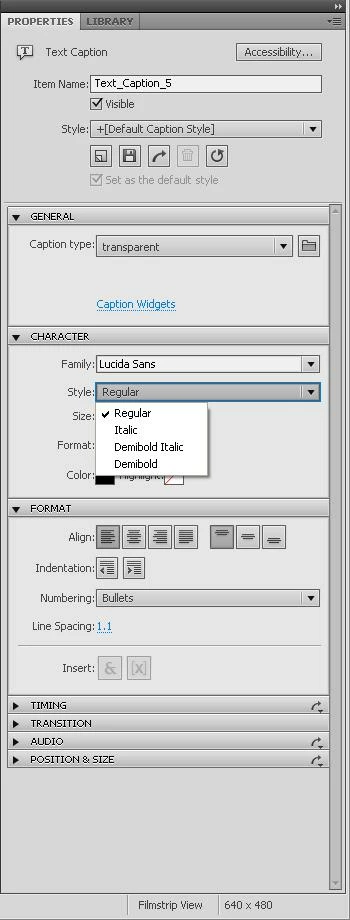
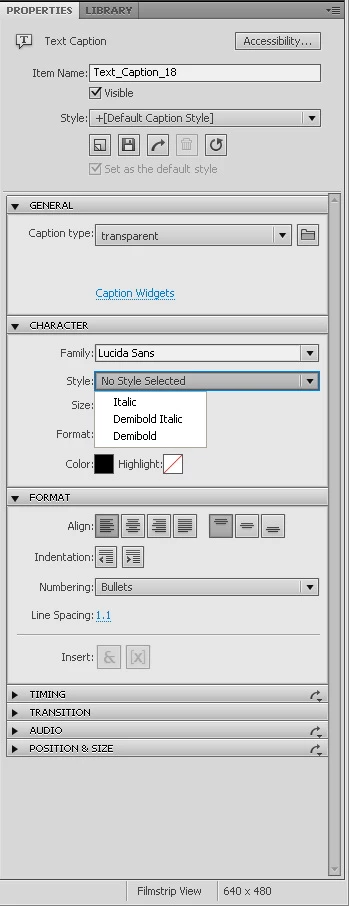
The obvious thing to check is that she does in fact have the same font family and not just the Italic, Demibold Italic, and Demibold families. However, we both have the same font on our Windows > Fonts folder. Here is a screenshot of that font from the Windows font viewer. The font name is Lucida Sans Regular (TrueType) and the filename is LSANS.TTF (oddly enough, the font viewer describes it as OpenType even though the name in Windows Explorer reads TrueType... but this is the same for both our machines so it doesn't appear to be a different variable).
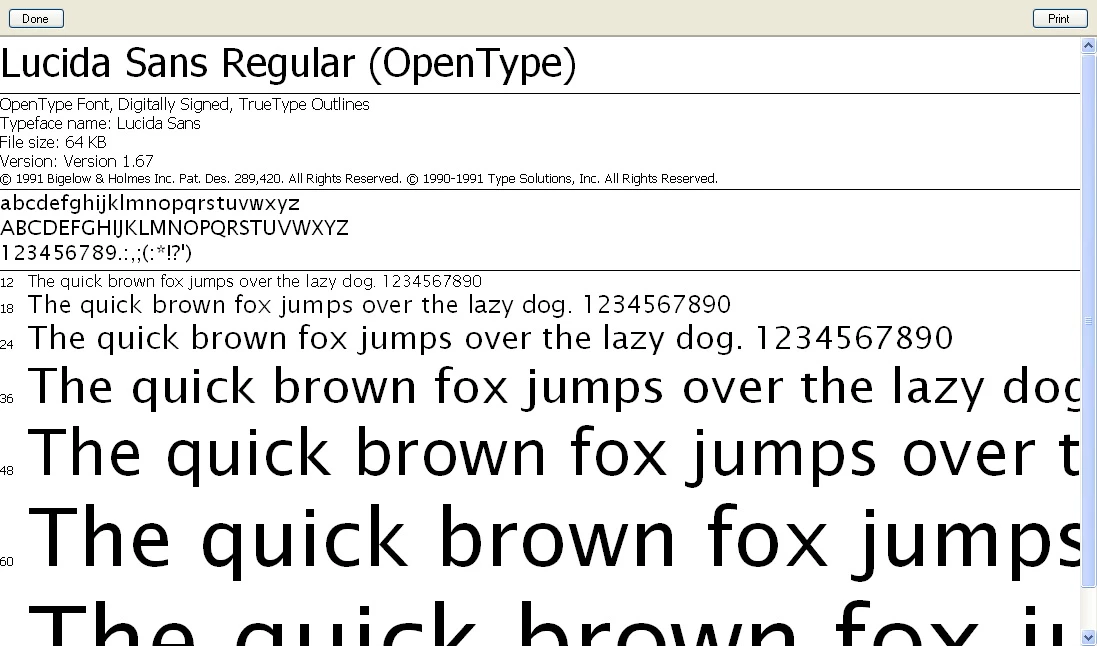
We even carefully uninstalled her Lucida Sans font family and copy/pasted my font file to her machine to ensure we had the same one, and still no joy. Has anyone run across this issue? Seems like it could be either a font issue or Captivate, but leaning toward Captivate since we feel relatively sure that we have the same font.

BTW, as a result of this difference when she opens the .cpx project file I'm working on it replaces all the Regular font styles with her Demibold or Demibold Italic, which throws everything off if she wants to publish to swf or Word doc.

Best,

Danny

This topic has been closed for replies.

2 replies

Participating Frequently
October 19, 2010

Hello There,

Can you please let me know the Operating System you and your Boss are using? In your Boss's machine, are you not seeing Lucida Sans Regular for any new project also or is it only for this project? Can you save the font settings as a style and use it, and check whether you still see this issue?

Thanks,

Vish

dannyhouk
dannyhoukAuthor
Inspiring
October 19, 2010

Vish, appreciate the response.

We are both on Windows XP. She could not retrieve Lucida Sans Regular for any project, whether previously created or new. We never tried saving the font settings as a style and applying the Regular style that way.

What ended up happening is that she requested our IT reinstall Captivate 5, which they did, which mysteriously corrected the issue. I did get a response back from Adobe but they asked for so many technical details that we chose not to pursue it any further.

Thanks,

Danny

Captiv8r
Legend
October 1, 2010

Hi Danny

Two things:

First, please submit this as a bug to Adobe using the Wish Form/Bug Reporting Form (link is in my sig)

I say this because Adobe needs to be aware of this issue. And it relates directly to my second thing below.

Secondly, I've seen others report missing fonts and such that were present in Captivate 4 but not in Captivate 5. To date, I don't recall seeing anyone from adobe answer any of these threads with a reason or a solution. So I'm hopeful that by all affected reporting this as a bug, someone will finally hear back from Adobe on the issue. If that happens, I'm also hopeful that one of these threads will be updated to advise why this is happening.

Cheers... Rick

Helpful and Handy Links

Begin learning Captivate 5 moments from now! $29.95

Captivate Wish Form/Bug Reporting Form

Adobe Certified Captivate Training

SorcererStone Blog

Captivate eBooks

dannyhouk
dannyhoukAuthor
Inspiring
October 4, 2010

Thanks, I took your advice and submitted this issue as a bug. Unless I hear back saying otherwise, I'll await to see what they tell me to do next.