Participant
June 15, 2012
Question

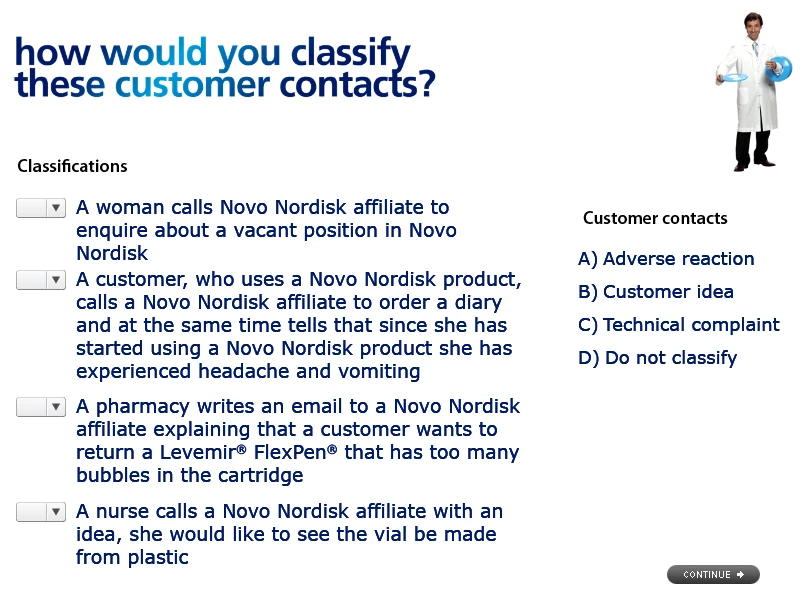
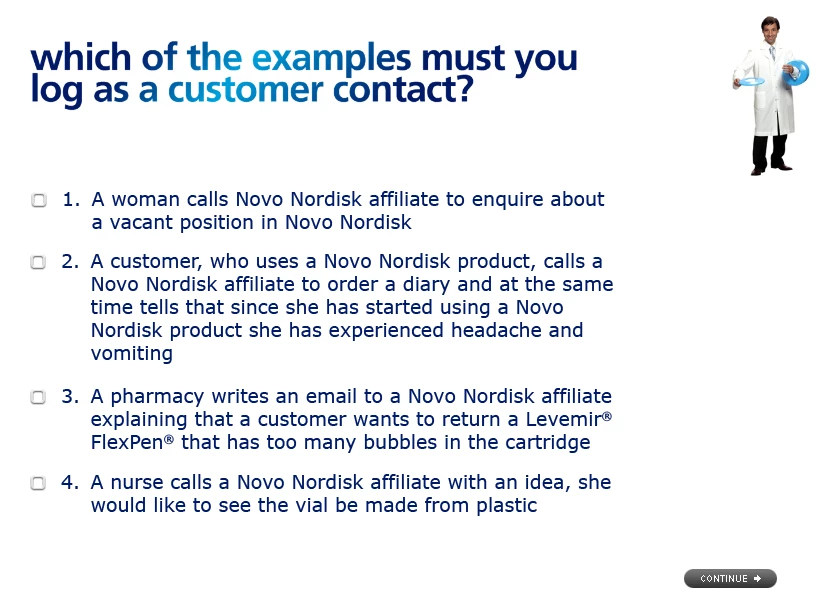
Fonts in Multiple choice and Matching quiz slides

  • June 15, 2012
  • 1 reply
  • 536 views

I am having trouble with fonts on 2 quiz slides.

Q1 is a multiple choice, Q2 is a Matching. Font and style on both slides is Verdana 19pt regular. Line spacing 1,2.

When I preview and publish, the font on Q2 looks bold and larger.

Any ideas how to make the font on Q2 look like the font on Q1?

Best regards, Marianne

Q1                                                                                                                            Q2
This topic has been closed for replies.

1 reply

Adobe Employee
June 18, 2012

Hi Marianne,

You told that the fonts look bold and larger on preview and publish.

It means that the font looks similar when you see them in the project( Adobe Captivate).

Try with a blank project and create only two questions, Multiple choice and Matching. Then check if it does the same thing with a new project as well.

Thanks