Participant
September 26, 2012
Question

Forced Navigation Possibilities

  • September 26, 2012
  • 2 replies
  • 2118 views

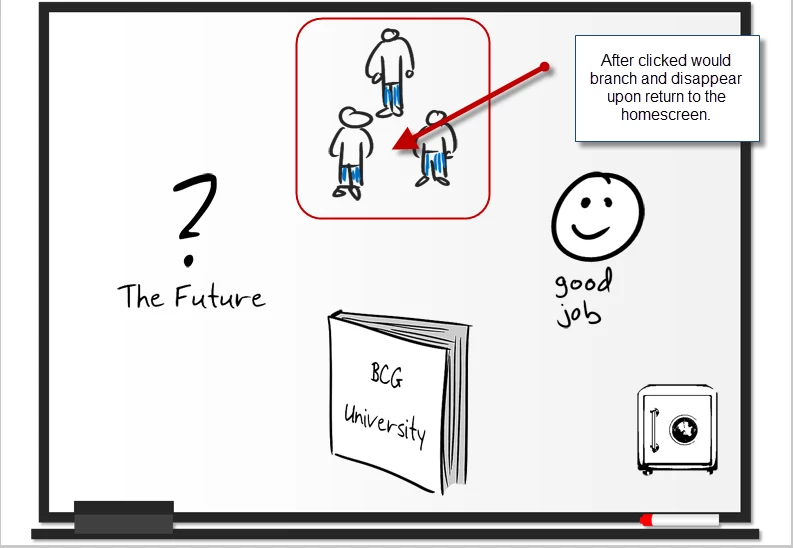
I am working on creating a forced navigation screen.  I'd like there to be multiple buttons that branch to other slides, and then have the button which has been selected and slides viewed disappear when you return to the main/home screen.  Therefore, that button would no longer be available after the branched scenarios have been completed.  Is this possible or should I try to launch animations from thehome screen instead (like described here: http://blogs.adobe.com/captivate/2011/11/enabling-forced-navigation-for-your-interactive-screens-in-adobe-captivate-5-5.html?  I am working with 5.5 with an .zip output/.swf output.  Thanks!
This topic has been closed for replies.

2 replies

Lilybiri
Legend
October 9, 2012

I'm a bit puzzled by this sentence: ".... and slides viewed disappear " What do you mean by that?

Would also like to know if you have a playbar enabled, or is every navigation created with custom buttons, like the image buttons? I see also an image 'Good Job' and suspect that this has to appear not at the beginning, but perhaps when all the branchings have been completed?

The conditional action proposed with two decisions (first is a mimicked standard, then a real conditional action) is OK, but will not provide for the 'Good Job' image to appear. Since you are returning to this home screen all the time, I would personally use the On Enter slide event to trigger a condition to check if all branching has been done.

Lilybiri

Lance_Treloar
Inspiring
September 27, 2012

If I have understood correctly, conditional actions should do the job you are asking about.

Create a variable for each object with a value of 0.

Create a conditional advanced action: in addition to the jump to page, assign the variable a new value.

Create a condition that if var A = value X, hide object

15MayChild
Known Participant
October 9, 2012

I'm doing this same type of screen using this method.  One thing that I am missing is how to make a next button appear after each of the options for branching have been picked.  This next button would take them to a closing page.

I want to make sure users go through all of the  options prior to leading them to a closing page.

Any ideas on how to do that?

Thanks.

MC

Lilybiri
Legend
October 9, 2012

Perhaps have a look at this old blog post:

http://lilybiri.posterous.com/template-for-reusing-script

Lilybiri