Question
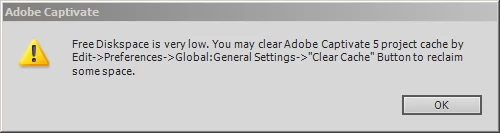
Free Diskspace is very low in spite of clearing cache.
I have begun to receive this message nearly every time I open Captivate 5. I follow the directions to clear the cache, and have even manually deleted the cache file. I have also tried to free up more diskspace, though I usually only have 2-4GB free on the drive where Captivate resides. Does anyone have an idea of how much free disk space is needed, or whether one can allocate more space to the Captivate cache file? I use Captivate all day long, but I do reboot and/or restart several times during the day. It is probably not a coincidence that I have been having problems with Windows Explorer crashing very often. I am using Windows 7. Thanks for any suggestions.
 AdChoices