Known Participant
December 12, 2012
Question

Get wierd screen when opening PDF file in Acrobat/Reader 9.5.2

  • December 12, 2012
  • 2 replies
  • 1357 views

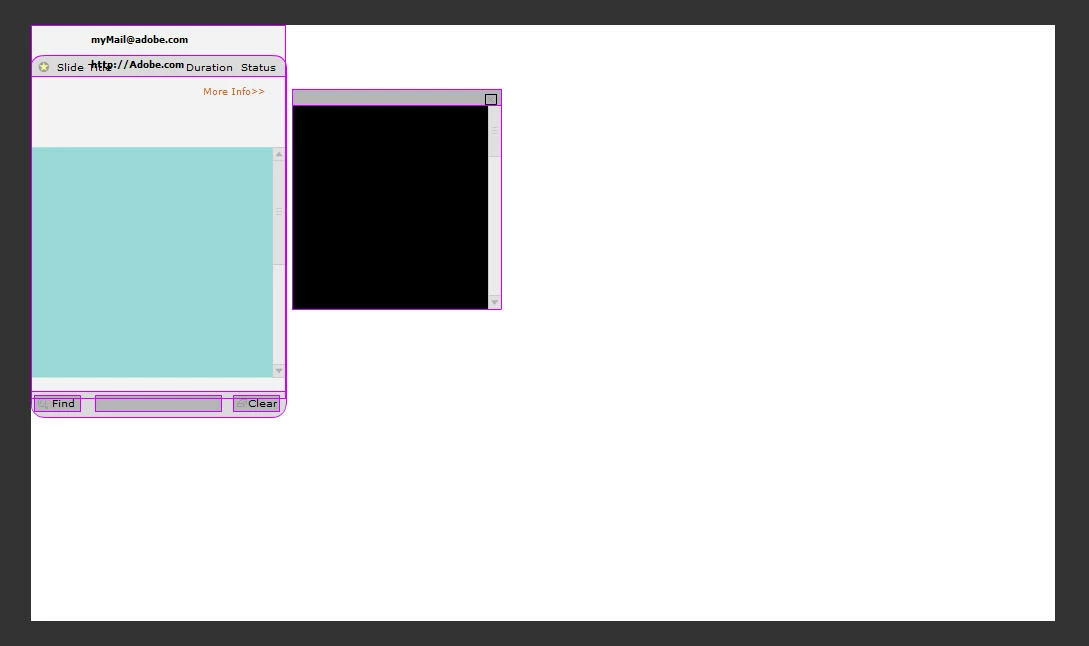
Here's the screen I now get when trying to open a Captivate-generated PDF in either Acrobat or Reader 9.5.2. Any thoughts?

This topic has been closed for replies.

2 replies

Participating Frequently
December 13, 2012

Hi Ronpfef,

Can you please share more details on the environment ?

Also would it be possible for you to share the PDF file, in which this issue is seen ?

Thanks.

ronpfefAuthor
Known Participant
December 13, 2012

Hi SRihan-

The environment is:

Dell Precision Workstation i7 processor

8GB Ram

W7

Captivate 5.5

Acrobat & Reader 9.5.2

Since posting, I've discovered that a number of other PDF's created previously now exhibit the same problem. They were all created with Captivate 5.5 and are large in size > 8Mb. I suspect the problem arose with the update of Acrobat/Reader to 9.5.2 but it's just a guess. Make sense?

Legend
December 13, 2012

Ok, suppose you just start Acrobat from its icon/start menu. Does it appear as normal?

Then you use File > Open to open one of these PDFs. Does it go funny, work as normal, or do something else?

Inspiring
December 13, 2012

Do other PDFs open? Are you on a MAC (looks like it)? How are you creating the PDF (I am not familiar with Captivate operation) -- did you try to print or something else?

ronpfefAuthor
Known Participant
December 13, 2012

Hi Bill-

To answer your questions....

  • No other PDF's open.
  • Dell Precision Workstation i7 processor, 8GB Ram, W7
  • You create the PDF with Captivate when publishing your course
  • did not try to print

Since posting, I've discovered that a number of other PDF's created previously now exhibit the same problem. They were all created with Captivate 5.5 and are large in size > 8Mb. I suspect the problem arose with the update of Acrobat/Reader to 9.5.2.