Participant
April 15, 2019
Question

Getting error while playing scorm

  • April 15, 2019
  • 3 replies
  • 489 views

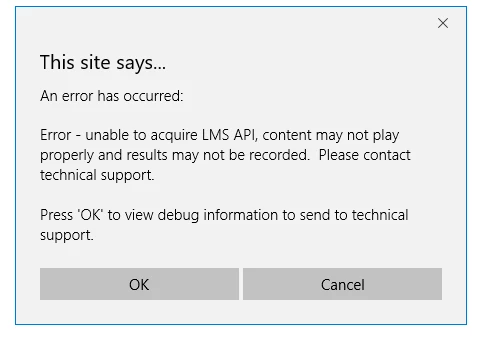
I have a (Captivate 9) SCORM HTML Upon testing it, the course plays, but there is the following error popup each time:

    This topic has been closed for replies.

    3 replies

    Inspiring
    April 15, 2019

    When testing in a local environment or a test server that is not an LMS, just expect that warning and click "cancel". The course should run normally for testing purposes.

    Lilybiri
    Legend
    April 15, 2019

    If this is a SCO,  the only way to test it is by using a LMS, local testing will only work if you turn off Reporting temporarily. You can test in SCORM Cloud, from within Captivate. It is maybe the best way for testing, because if it is successful you are sure when it fails on your LMS later on, it is due to your LMS, not to Captivate.

    alfredmack
    Inspiring
    April 15, 2019

    It seems you are testing this course from local environment.Are you testing it from LMS? or preview option in Captivate?