Participant
August 16, 2011
Question

Getting multiple swf files on a web page to work on multiple computers

  • August 16, 2011
  • 2 replies
  • 307 views

Hi,

I'm designing a test course for 50 people using Captivate 5. This is how my course is designed:

1) I create individual Flash files (.swf) for each topic and place them on a folder in my local server.


2) I create an INDEX html page with <a href> links to all the topics. When a user clicks on a topic, the get redirected to another html page. On this page the .sef file is embedded and the flash file starts playing immediately.
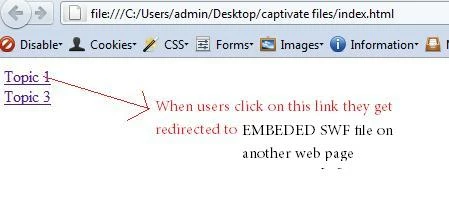
My question is, is it possible for 50 users to access the INDEX html page and will take up tests simulataneosly. That is, 50 users will be accessing the same embedded flash file at the same time. Will this cause any issues? Will the flash file be loaded on all computers at the same time? Will the loading be slow..


Regards,

Nithya

    This topic has been closed for replies.

    2 replies

    Erik Lord
    Inspiring
    August 16, 2011

    To add to Lilybiri's post...

    Generally, Flash files are not 'played from' the server - they are downloaded to the user's computer and played from there. So the only impact your situation would cause is if your server can't keep up with the demand of having to send the data to those 50 users at the same time.

    There's really no guideline for this... Is your server...decent? Good network connection, pretty fast serving and hard drives?

    If it's a decent server at all, it shouldn't be a problem. Once the server delivers the requested test (Flash) file to the user, it's done until the next file is requested (next link is clicked). If any worries, perhaps stagger the 50 users by a minute or two, if possible.

    You don't mention any reporting. No tracking of these tests to any centralized location? Plainly no LMS involved, right? If you're not sending any results back to the server or other centralized location, you've even less to worry about.

    Erik

    Lilybiri
    Legend
    August 16, 2011

    Hello Nithya,


    This is not really a Captivate question, since it depends mostly on the bandwidth, and also a little bit on the size of the different SWF's, which you do not detail. Same for assessments. If you do have the latest SCORM templates, I would recommend to use the one that only transfers data at the end of the assessment (SendTrackingDataAtEnd) because I did have a lot of issues in the past with assessments that were accomplished at the same moment with more than 20 users, but again this depends most on the bandwidth and hardware. Just one example: I'm a teacher, and the issues were a lot less in classrooms that had more recent switches installed.

    Lilybiri