


Google Chrome Browser Crash: SCORM 1.2 in Talent LMS
I am having significant trouble getting a SCORM 1.2, HTML5 (blank, non-responsive project) to sync up its completion status with Talent LMS.
I have tried just about every Adobe Captivate (2019) publish setting I can find with continued issues. Specifically, it seems there is a lag between the SCORM completing and the LMS recognizing the SCORM's completion status. Thus, learners are stuck on the screen with a completed SCORM, but cannot advance to the next learning module within Talent LMS.
Current problem: All that to say, I thought I had identified a workaround by forcing the SCORM to close when completion criteria are met. This triggered the Talent LMS environment to enable learners to click to advance to the next module. HOWEVER, I have a few colleagues who tested the SCORM using Google Chrome on macOS and reported a browser tab crash upon completing the SCORM. Other open browser tabs are not affected, only the tab with Talent LMS and the embedded SCORM abruptly close. This is problematic because users are taken away from the LMS environment, where we want them to remain to complete additional modules.
Talent LMS support says the issue is with the SCORM or Google Chrome browser, not their interface. They advised users experiencing the browser tab crash to clear Chrome's browser cache and ensure all third-party cookies are allowed. I had my colleagues follow this approach and they still experienced the browser tab crash.
Neither myself nor Talent LMS support could replicate the issue of the browser tab crash in Google Chrome. Further, I have tested in Chrome, Safari, and Microsoft Edge on macOS and have not had any issues with browser crashing.
Has anyone experienced anything like this?? We're at a loss.
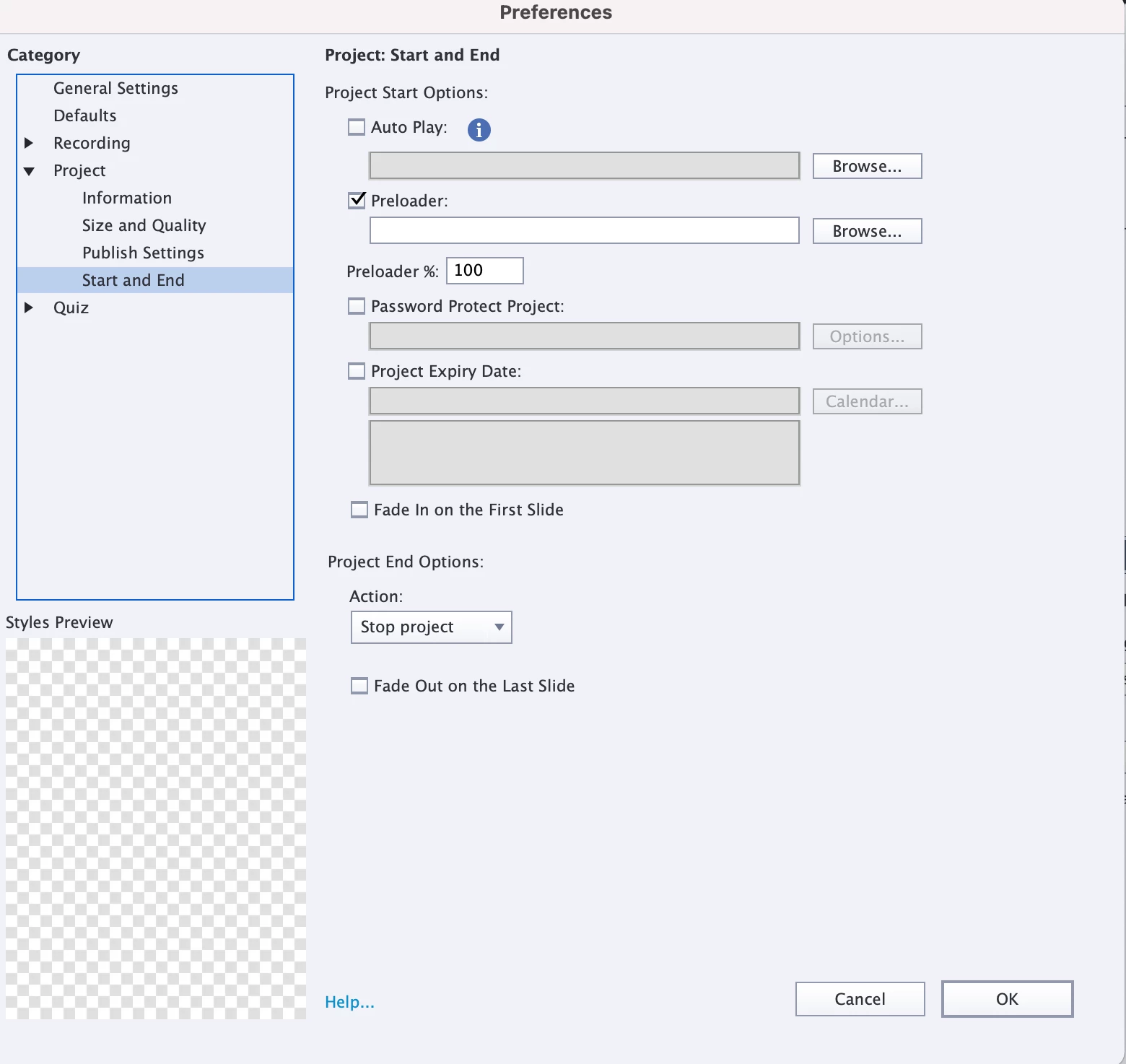
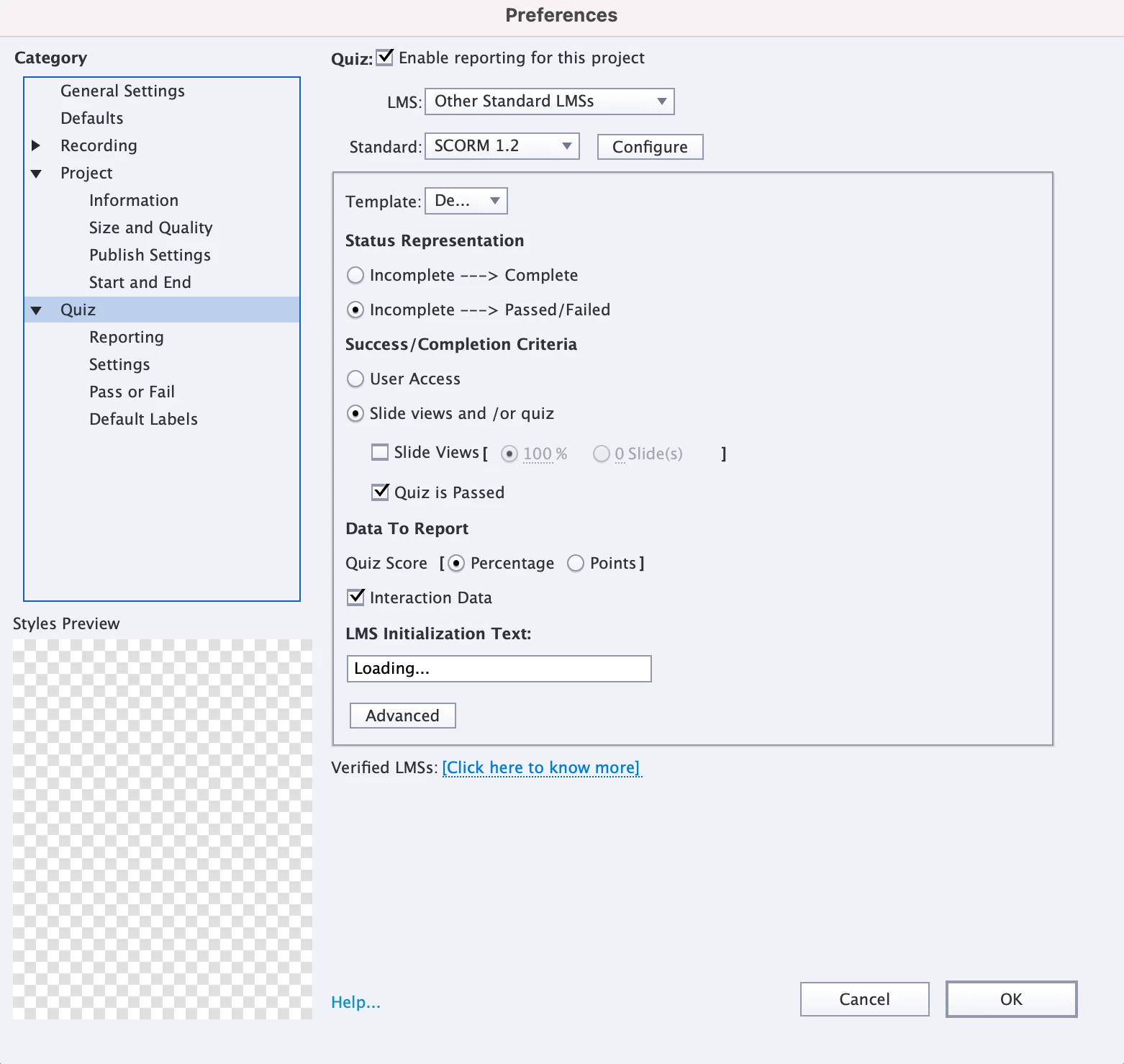
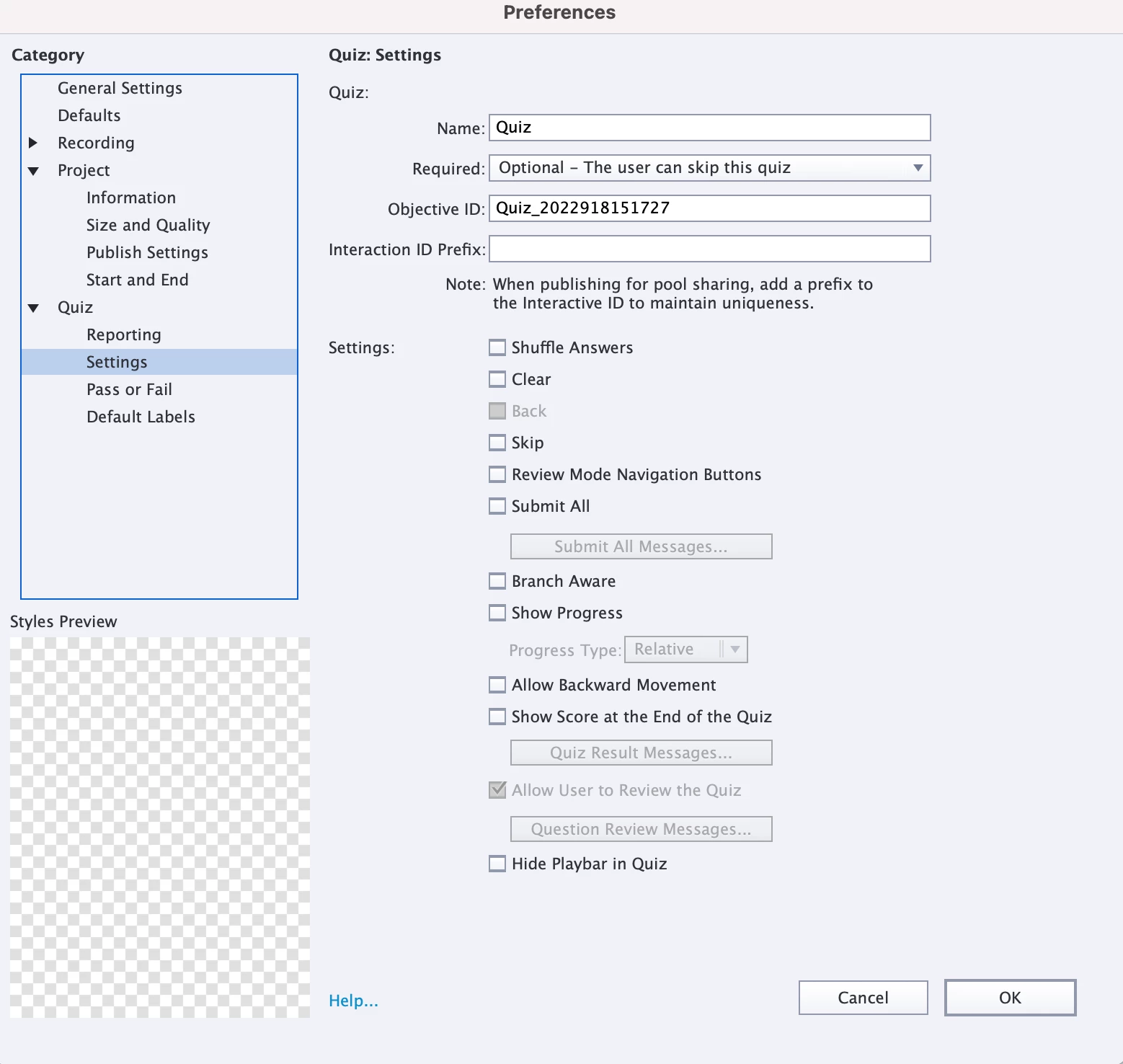
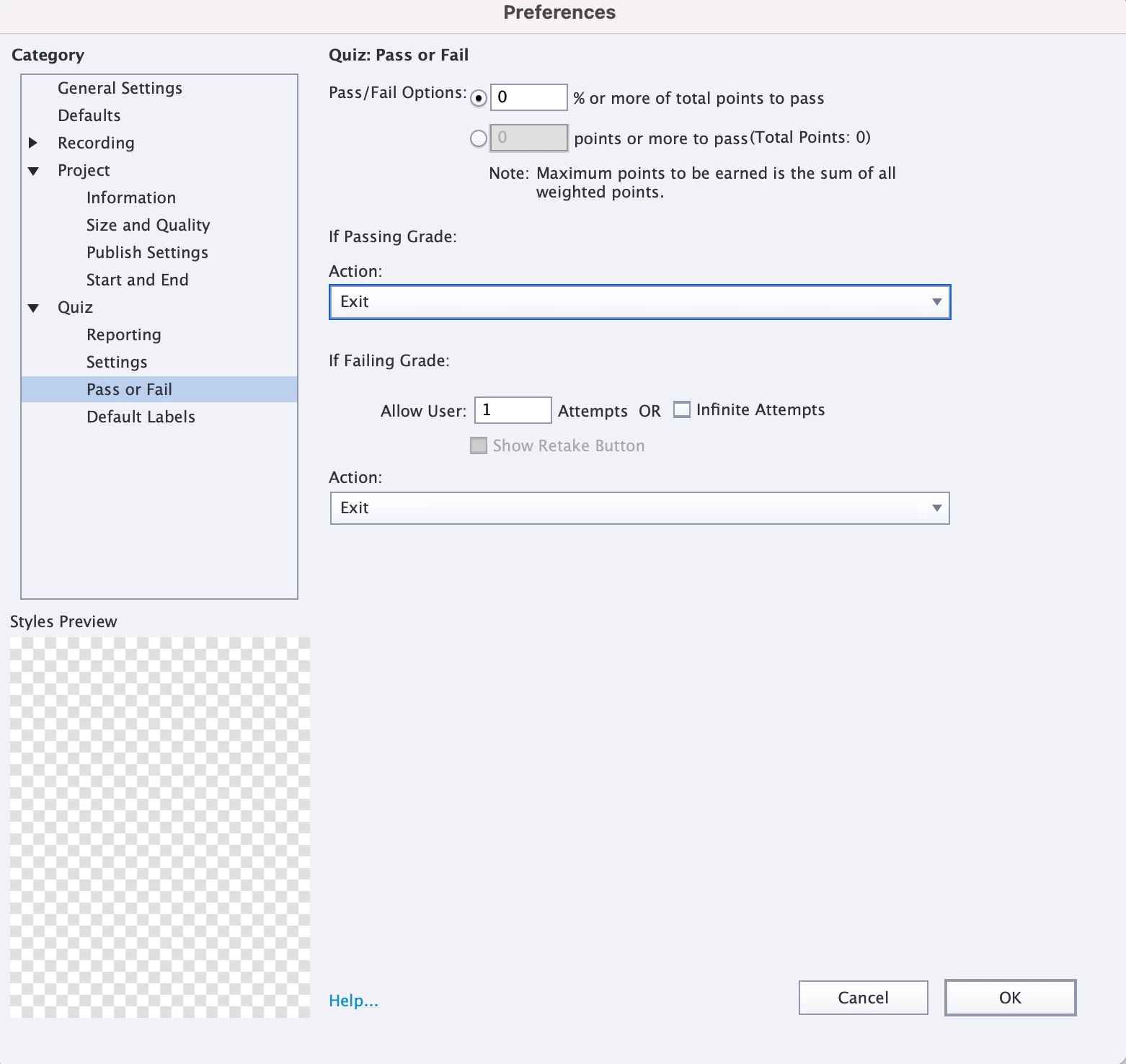
Current Adobe Captivate 2019 publish settings are included below. We do not have a quiz in the SCORM, but Talent LMS advised us to set up the success / completion criteria this way.
 AdChoices