October 6, 2009
Answered

Gray bar at the bottom of published file not included in Capture area.

  • October 6, 2009
  • 1 reply
  • 666 views

OS:            XP

Version:     Captivate 3

After publishing my Captivate files, during playback a gray bar is included at the bottom of the screen.  This gray bar was not included in my original capture.  Here is a screen shot:
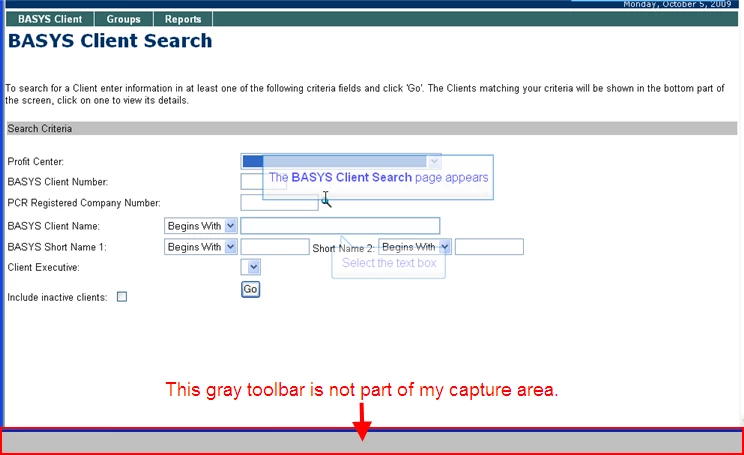
Why does the gray bar display?  Am I doing something wrong that is causing it to appear?  Any help you could give to me would be greatly appreciated.

Thanks.

    This topic has been closed for replies.
    Correct answer

    Open the Skin Editor and click on the borders tab, uncheck the "Show Borders" box then republish.  That should do it.

    1 reply

    Correct answer
    October 6, 2009

    Open the Skin Editor and click on the borders tab, uncheck the "Show Borders" box then republish.  That should do it.

    October 6, 2009

    Very strange.  Previously, I changed my border from the default setting (30) to 1 and the gray bar remained the same size.  My change had no impact.

    I followed your directions and, sure enough, the gray bar is gone.

    Thank you so much, I really appreciate your help!

    PJL