
July 19, 2011
Question

Help! How to create a highlighter or underline interactive tool for the user.

  • July 19, 2011
  • 2 replies
  • 932 views

I am designing a captivate presentation that focuses on embedding questions and feedback directly in the material. However, I would like for the user to be able to highlight or underline text. How do I go about creating this kind of tool? I am new to Captivate, so please help me understand. This is for my doctoral dissertation.

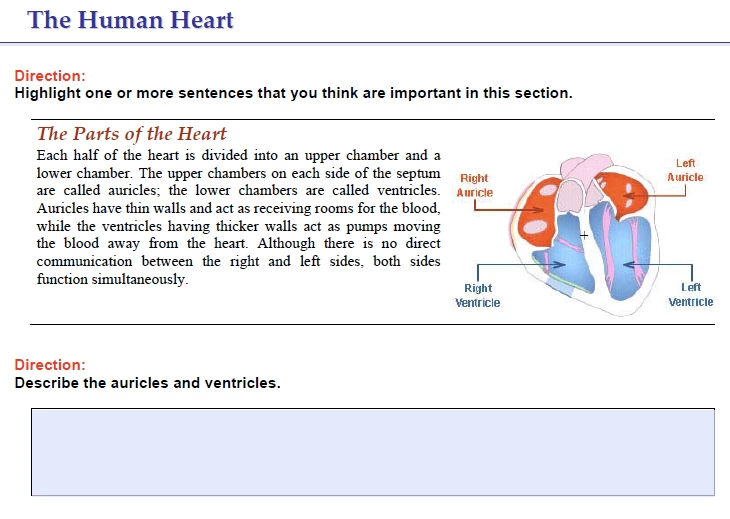
Here is an example of a screenshot that I would like to recreate:
    This topic has been closed for replies.

    2 replies

    Participating Frequently
    July 19, 2011

    Hello There,

    I'd like to know the usecase here. Are you planning to send those highlighted text back to the author? Or is it just highlighting during runtime, but that may not be of so much help.

    Thanks,

    Vish

    @vish_adobe

    July 19, 2011

    Thanks so much for the quick response.

    I do not need to record the highlighted text; I only need for the user to be able to highlight the text on the screen he/she feels is important. Does this help?

    Thanks again,
    AR

    Known Participant
    July 20, 2011

    It is possible to create a widget that covers the whole scene and allows the user to draw on top of the slide with a semitransparent 'marker'. Like this: http://comptools.files.wordpress.com/2010/02/edit_screen.jpg.

    It is not that easy to make it stick to text only (like this: http://main.makeuseoflimited.netdna-cdn.com/dir/wp-content/uploads/2009/03/image12.png).

    RodWard
    Community Expert
    Community Expert
    July 19, 2011

    Please don't post the same question twice on this forum.

    What you ask is not possible in Captivate.  It might be possible to create in Flash, but only with advanced programming skills.  Not straight out of the box.