Participant
June 7, 2016
Question

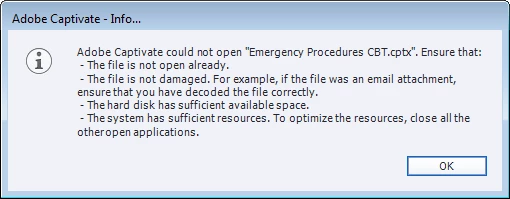
HELP??!!! I cannot open a file and receive the following error message. Your help is appreciated!

  • June 7, 2016
  • 1 reply
  • 324 views


    This topic has been closed for replies.

    1 reply

    Lilybiri
    Legend
    June 7, 2016

    That error can have a lot of causes, not just one. It could be that it was not correctly closed by someone, and a 'lck' file is still somewhere on the system (means file is locked). It could be that the file is corrupt. It could mean that Captivate is corrupt. It could mean that you have not enough space left. Are you launching Captivate as Administrator?

    I hope you have a backup file? Find it in the Documents folder where you have your Captivate files, change its extension to have the normal cptx, eventually rename it and see if you can open that backup.

    If you are sure the first reason cannot be the cause, you could clear the Cache first of all. This can be done from the welcome screen of Captivate, where Edit Preferences is available. It has a button on General settings to clear the cache. Beware: that means also the cache of the present project will be deleted, which could mean a last means to recover the project.

    Participant
    June 7, 2016

    Thank you. If I have all of my projects saved outside of Captivate and I clear the cache, will those projects be ok? I assume it only removes them from being quickly accessed through Captivate.

    Lilybiri
    Legend
    June 7, 2016

    I don't fully understand what you mean by 'outside of Captivate'. Check the paths in Edit, Preferences first for 'Publish at' and 'Cache'. Those paths should point to a different location, on your system, not on a networked drive. It is the folder in the Cache location that will be cleared. But I did see users who pointed both to the same location, and then all the project were deleted as well.