
Known Participant
November 15, 2010
Question

Help with hotspot quiz - please!

  • November 15, 2010
  • 3 replies
  • 3699 views

I have a post, that was moved to Quizzing\LMS (what is LMS??) but no answer yet.

Hotspot quiz question - add indicator for correct place on screen?  posted Nov 13

I will keep checking there for answer - if someone could just help me with hotspot basics for Captivate 5, I would be very grateful.  (I would also post in quizzing - but I don't know how... so I'll have to post here...)

I clicked on quiz - quiz question - hotspot.  The screen that appears:
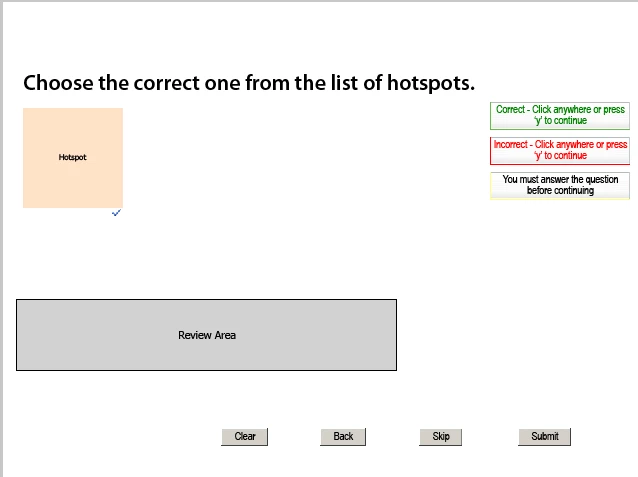
Then I insert an image, but the pink of the hotspot stays pink over the image.  So how sm I supposed to I hide this hotspot so the image is what I see?  i treid making it tansparent, which worked - and it does indiecate correct if I click where the transparent hostspot is, and incorrect where the hotspot is not.  But when incorrect, it does not show where the hotspot is, and I do not see the little green check mark ever.

Please can someone tell me what i need to do to get a hotspot to show up when an incorrect spot on the screen is clicked?

THANK YOU!!

    This topic has been closed for replies.

    3 replies

    Known Participant
    April 12, 2011

    Hello!

    Thanks for all the information. i'm using Captivate 5

    I'm really a beginner user of captivate and I could not understand how to add the advanced action.

    How can I create a different slide with the correct answer?

    Whenever I duplicate the slide it appears as a 2nd question on my quiz while I just wanted to show the correct answer in case they answer it incorrectly.

    Also I created the highlight box as invisible as asked to show it in case of failure but what is happening is that captivate just shows the highlight box after I click submit and what I want is to have the failure message and the highlight box after the user click in any other place other than the hot spot. There's any way to do that?

    Tks

    Known Participant
    April 12, 2011

    Just to add I could create the advanced action and I set it to SHOW highlight box and the text caption. How do I do to create a second screenshot? Should I duplicate the slide?

    Thanks again!

    Known Participant
    April 12, 2011

    This is how I set the quiz properties. I should leave the field Failure Levels as None right?

    Known Participant
    April 11, 2011

    #2 - Can anyone please give me step-by-step instructions to how to put in the highlight box, arrow and the incorrect caption

    to show it on incorrect answer?

    Could not make it work.... I just have one hot spot on my image and what I'm trying to do is after the first incorrect attempt I want to have all of them (highlight box, arrow and the incorrect caption) showing so the student can click on the right spot.

    RodWard
    Community Expert
    Community Expert
    April 12, 2011

    Hot Spot question highlight boxes are only visible in Edit mode, not at runtime.

    You could use normal highlight boxes to show where the clickable regions are but there's no way in Captivate to make these appear only on the second attempt at a question.

    Since you seem to be intending to give away the answer as soon as the learner has made one unsuccessful attempt, my first suggestion would be to just use the text int he Failure caption to tell them what the correct answer was: "No that's incorrect.  Click the one with the sad face."

    If you insist on highlight boxes appearing, you could have two versions of your question and send the user to the second question (with the highlight boxes) when they fail the first one.  This means setting the number of attempts to only one attempt and using the Failure action to jump to the second question.

    Participating Frequently
    November 15, 2010

    Hello There,

    Little green check mark is for the Authoring time only. What you can do is to insert a Highlight Box, hide it and show it on failure action. So when the user takes the quiz highlight box is hidden and on failure, it is shown. Let me know if this helps.

    Thanks,

    Vish

    CindieGAuthor
    Known Participant
    November 15, 2010

    Thank you - that helps.  Since I am new - can you please give me step-by-step instructions to how to put in the highlight box - and to show it on incorrect answer?

    ALSO - on the review page, the hotspot looks like it is blinking blue - but the graphic is blue so I cannot really see it - can I change the color and thickness?