
R_H__
Inspiring
August 31, 2015
Answered

Hide selection rectangle in Chrome

  • August 31, 2015
  • 1 reply
  • 552 views

Morning,

Does anyone know how to remove the blue HTML5 Selection Rectangle in Chrome? I understand why it is there, but I don't want it to be.
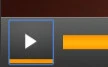
I already have the option selected in my Publish Settings, which removes the box in all other browsers, except Chrome.

I am using the latest version of Captivate, this is not a Responsive Project and is being published purely for HTML5.

Cheers,

Ross

    This topic has been closed for replies.
    Correct answer R_H__

    Ok, I think I've managed to solve my own question.

    In your published course folder, go to assets > css and open CPLibraryAll.css and paste this in at the beginning:

    *:focus {

        outline: 0;

    }

    Hope that helps someone else out.

    Cheers.

    1 reply

    R_H__
    R_H__AuthorCorrect answer
    Inspiring
    August 31, 2015

    Ok, I think I've managed to solve my own question.

    In your published course folder, go to assets > css and open CPLibraryAll.css and paste this in at the beginning:

    *:focus {

        outline: 0;

    }

    Hope that helps someone else out.

    Cheers.