

Hiding buttons AND audio upon slide return
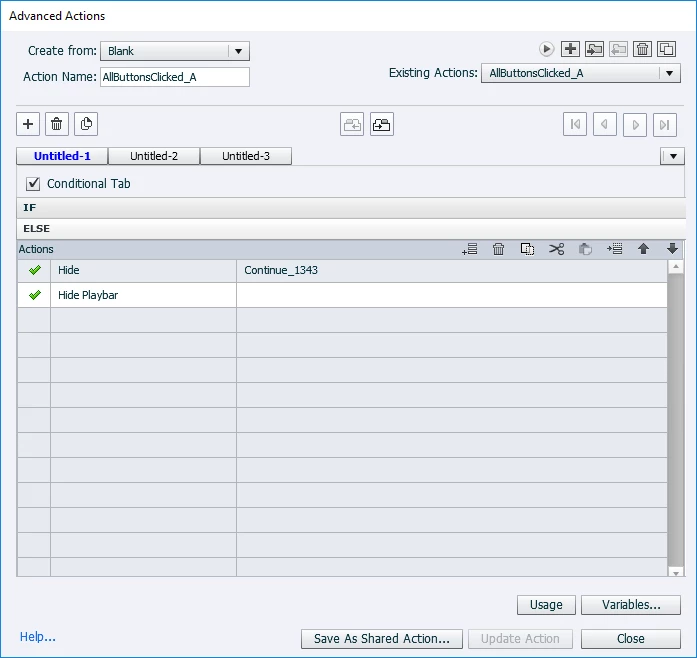
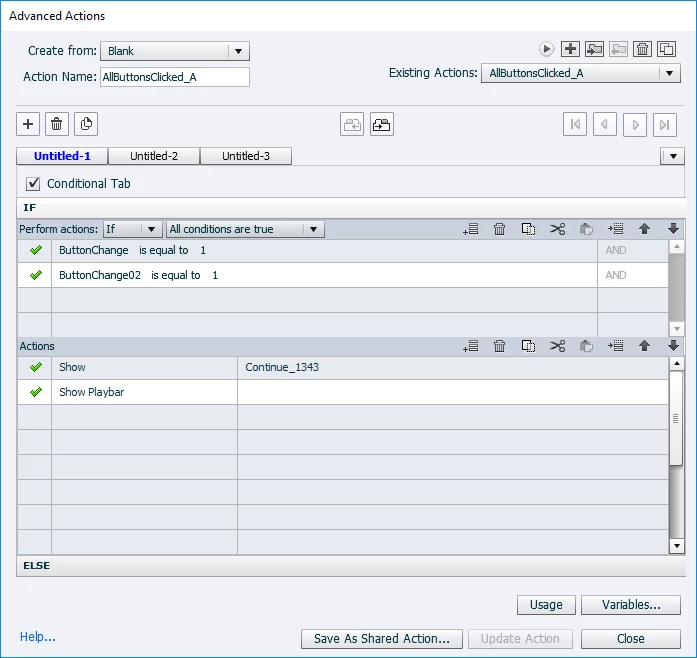
Hello all. So I've asked before about hiding certain buttons on a slide until other buttons have been clicked. Got that working using variables/states/advanced actions combinations on slide entry. Same with playing audio. I have it working where audio plays the first time a slide is visited, but not on subsequent visits to the slide (again, using variable/advanced action combo). Does anyone know if there is a way to essentially combine those two ideas into one solution? For example, I want audio to play on slide entry, but I want a certain button (continue button) to stay hidden until all other buttons on the slide have been pressed. When one of those buttons is clicked, it takes me to another slide to view content. I can return to the original slide, but I want the "continue" button to stay hidden AND the audio for the slide to be suppressed. Below are a couple screenshots of my conditional advanced action that activates upon entering the slide. I really don't think I need to supply the "else" portion of the action, but I have just in case. As always, thanks so much!


 AdChoices