
Known Participant
November 16, 2019
Question

Hiding correct answers in quiz review - HTML5

  • November 16, 2019
  • 1 reply
  • 624 views

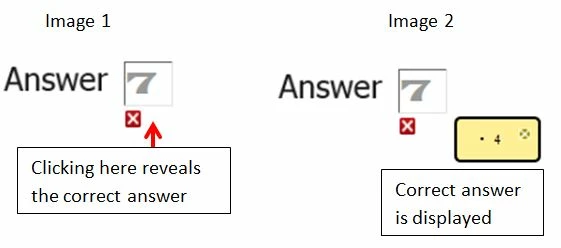
I have quizzes which are mostly 'fill in the blank' answers. When learners review the quiz I only want to indicate any incorrect answers given and keep the correct answers hidden. I could work around this when publishing in swf  but in HTML5 learners are able to reveal the correct answers.


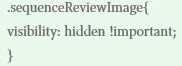
A similar question has previously been asked and a solution offered was to alter the css\CPLibraryAll.css 

I'm not sure if the code is meant to prevent this or to only prevent the green tick boxes from being displayed. Does anyone know if the code should prvent the learner from being able to reveal  the correct answer or if not is there a way to prevent this?
Code :
This topic has been closed for replies.

1 reply

Lilybiri
Legend
November 16, 2019

A possible workaround is to replace the HMTL images used by empty images, for those you don't want to show up.


If you want to hide the correct answers to allow a new attempt, rememer that any attempt on quiz level is disallowed after the learner has reviewed the quiz. I have laid out a possible workflow using advanced actions, and a custom review slide in my blog.

http://blog.lilybiri.com/custom-review

Known Participant
November 17, 2019

Hello Lilybiri


I was thinking that there may be a way to do it by replacing the HTML images with empty images but I just did not know how to do it. I should now be OK, thank you.

Lilybiri
Legend
November 17, 2019

I explained the workflow to hide the Play icon in a blog post. All HTML images are found in the same location.

http://blog.lilybiri.com/poster-image-autoplay