
nathans3661072
Participant
October 26, 2016
Answered

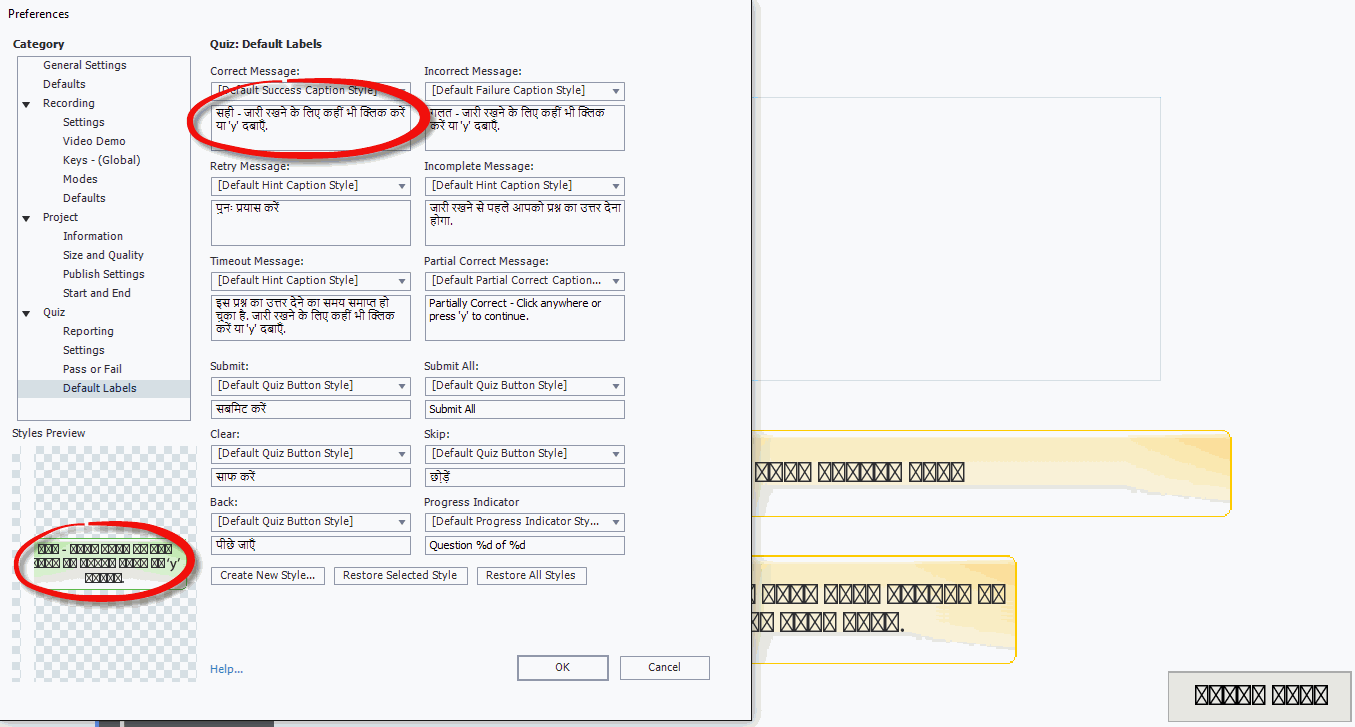
Hindi Default Captions do not display

  • October 26, 2016
  • 1 reply
  • 1109 views

I am using Captivate 9 on Windows 10.  Attached is a screen shot.  Hindi language captions are displaying as x'd-out boxes both in preview and in production.  The training I am working with has been translated into 11 languages, but Hindi is the first version to exhibit this error.  Please advise on troubleshooting steps.
This topic has been closed for replies.
Correct answer tarunjain

Hi ,

Go to Edit > Preferences > General Settings and enable 'Indic Composer'

Create a new project and start using Hindi Support


Thanks

Tarun Jain

1 reply

tarunjain
Adobe Employee
tarunjainCorrect answer
Adobe Employee
November 21, 2016

Hi ,

Go to Edit > Preferences > General Settings and enable 'Indic Composer'

Create a new project and start using Hindi Support


Thanks

Tarun Jain

nathans3661072
Participant
November 21, 2016

tarunjain

सही

THANK YOU!!  I didn't know this feature existed and I am going to have to share it with my team.  One note, you do have to restart Captivate to get the feature to begin working on the new project.   Good support