
ruthg84
Known Participant
May 15, 2016
Answered

Hot Spot use with Audio On/Switch

  • May 15, 2016
  • 1 reply
  • 420 views

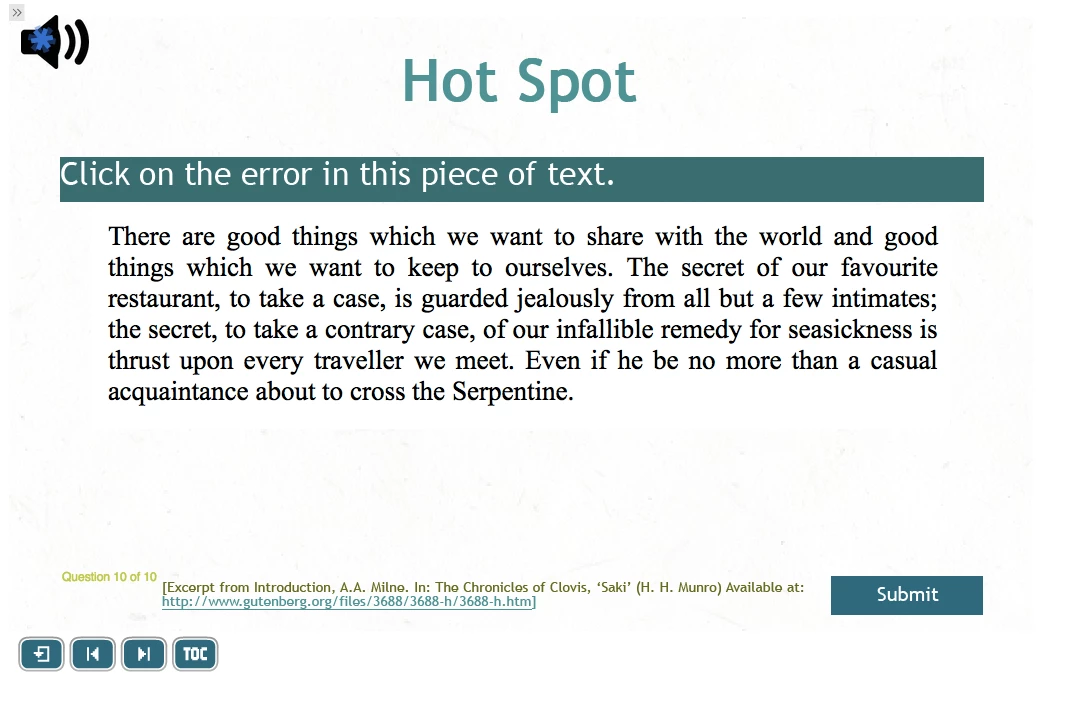
I have an audio on/off switch on all of my slides for optional narration. However, when I use these on a hot spot question slide, I have an issue as it is not possible to click on the audio narration switch without making a hot spot star appear. Is there a way of excluding portions of the screen from the hot spot capability?

Thanks,

Ruth
This topic has been closed for replies.
Correct answer Lilybiri

I know, Ruth, and that is one of the reasons I never use a default Hotspot type of question slide, but create a custom hotspot question slides using shapes as buttons (which can be scored: this allows even partial scoring). It is more work, but the fact that the whole slide is available to be clicked on for (wrong) hotspots is too limiting.

Have a look at:

Custom Hotspot questions in Captivate 8 - Captivate blog

1 reply

Lilybiri
LilybiriCorrect answer
Legend
May 15, 2016

I know, Ruth, and that is one of the reasons I never use a default Hotspot type of question slide, but create a custom hotspot question slides using shapes as buttons (which can be scored: this allows even partial scoring). It is more work, but the fact that the whole slide is available to be clicked on for (wrong) hotspots is too limiting.

Have a look at:

Custom Hotspot questions in Captivate 8 - Captivate blog

ruthg84
ruthg84Author
Known Participant
May 16, 2016

Thanks very much Lily, that's really helpful, as ever!