November 24, 2015
Answered

how can I integrate the text search when a public project captivate in HTML5?

  • November 24, 2015
  • 1 reply
  • 239 views

how can I integrate the text search when a public project captivate in HTML5?

This topic has been closed for replies.
Correct answer RodWard

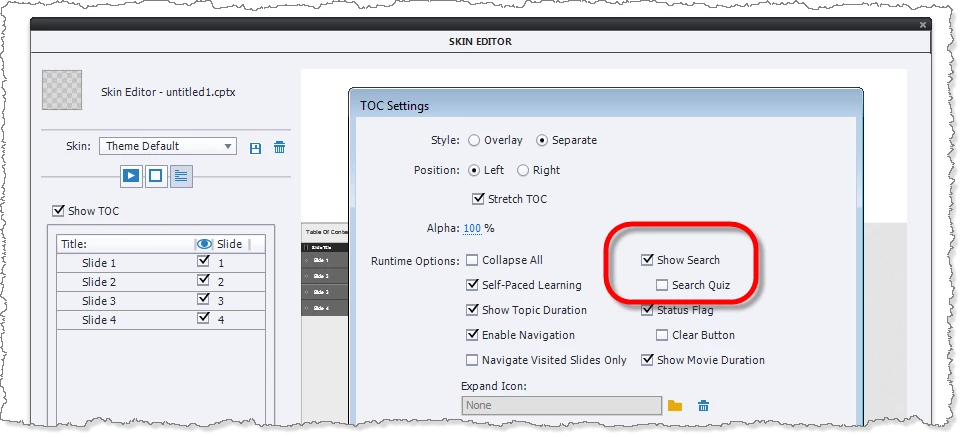
There is an option in the Skin Editor > TOC settings, but I think you will find this only applies to searching the names found in the TOC itself, not the entire project.
1 reply

RodWard
Community Expert
RodWardCommunity ExpertCorrect answer
Community Expert
November 25, 2015

There is an option in the Skin Editor > TOC settings, but I think you will find this only applies to searching the names found in the TOC itself, not the entire project.

November 25, 2015

Thanks Rod.

I know that setting. I need to be able to search in the entire contents of the slides. If captivate not have this feature, there are any Widgets?

Or, do you think I can get this functionality with JavaScript or something else?

RodWard
Community Expert
Community Expert
November 25, 2015

I know of no widgets that offer this functionality.

JavaScript is very powerful in the hands of an experienced programmer.  So it's hard to say what is or is not possible in that area.  But I have not seen it done for any Captivate e-learning projects.