
tylerh20774463
Participant
January 21, 2016
Answered

How do I anchor objects to other objects in responsive design? (I saw a video from adobe once and can't find the link now)
  • January 21, 2016
  • 1 reply
  • 736 views

How do I anchor objects to other objects in responsive design?  (I saw a video from adobe once and can't find the link now)

This topic has been closed for replies.
Correct answer Lilybiri

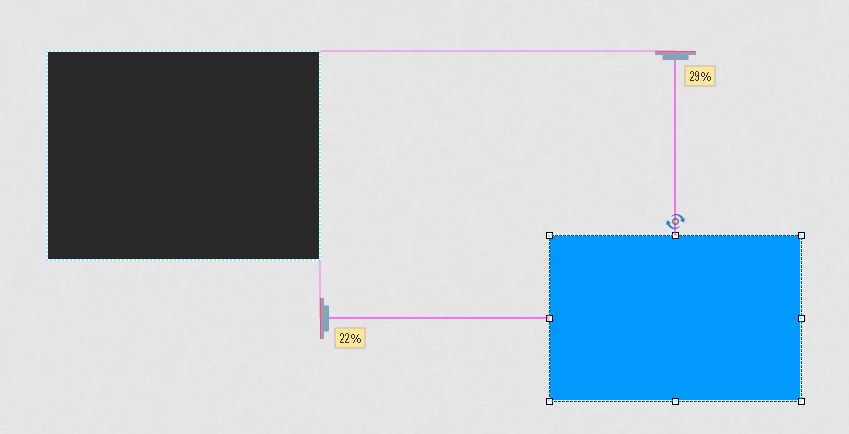
Check the option 'Smart position' in the Advanced part of the Position Properties. Drag the 'anchors' that are normally at top and left side of the slide till they meet the side of the object you want to anchor to (a blue line will appear, you can release the mouse then):

1 reply

Lilybiri
LilybiriCorrect answer
Legend
January 21, 2016

Check the option 'Smart position' in the Advanced part of the Position Properties. Drag the 'anchors' that are normally at top and left side of the slide till they meet the side of the object you want to anchor to (a blue line will appear, you can release the mouse then):

tylerh20774463
Participant
January 21, 2016

Thanks you so much...I knew it was pretty simple but lost my security of an instructional video.....the graphic was helpful.

Lilybiri
Legend
January 21, 2016

Video is not always necessary In many cases a simple snapshot can do the trick more efficiently. I am not a big fan of pure video.