


How do I Change the Quiz Question Description?
Odd question alert!
I have a Captivate quiz (version 2019). I load it to the LMS, and a student takes and completes the quiz. I can run a SCORM 2004 report in the LMS which shows each question along with what the user selected and whether or not it was correct. However, the report shows the Quiz Question Description as one of the fields (the first column), and the values in that field do not match up with the actual questions in Captivate. For example, this report shows the results for this particular question with ID 361077:
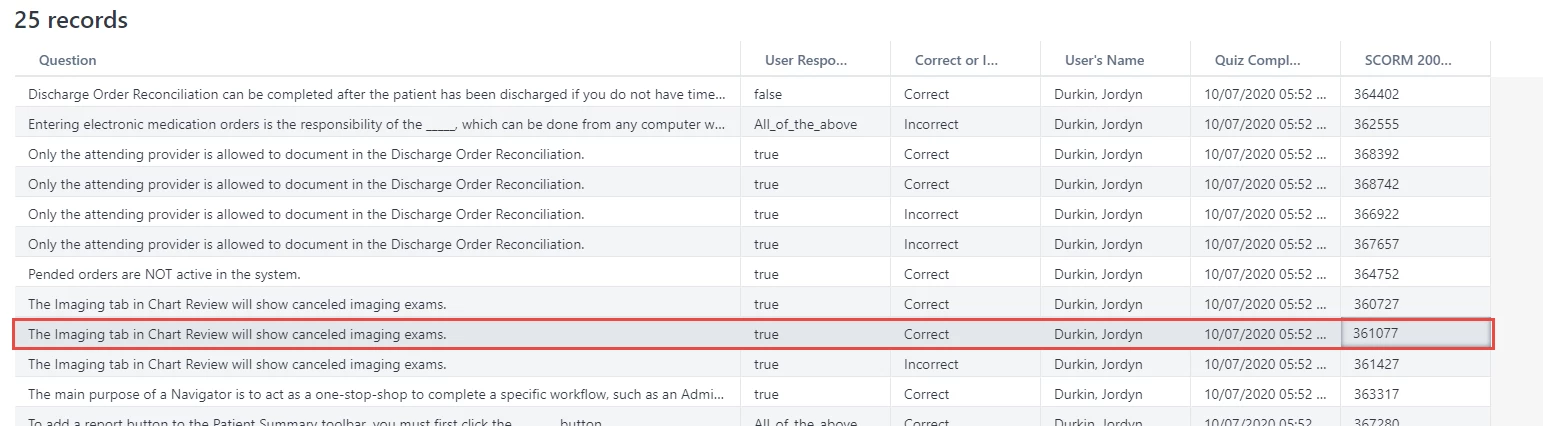
This LMS report tells me the question for 361077 is "The imaging tab in Chart Review will show canceled imaging exams." However in Captivate, when I look at the question slide for item 361077, the question is actually "When reconciling PTA medications, choose..." as you can see in this screenshot.
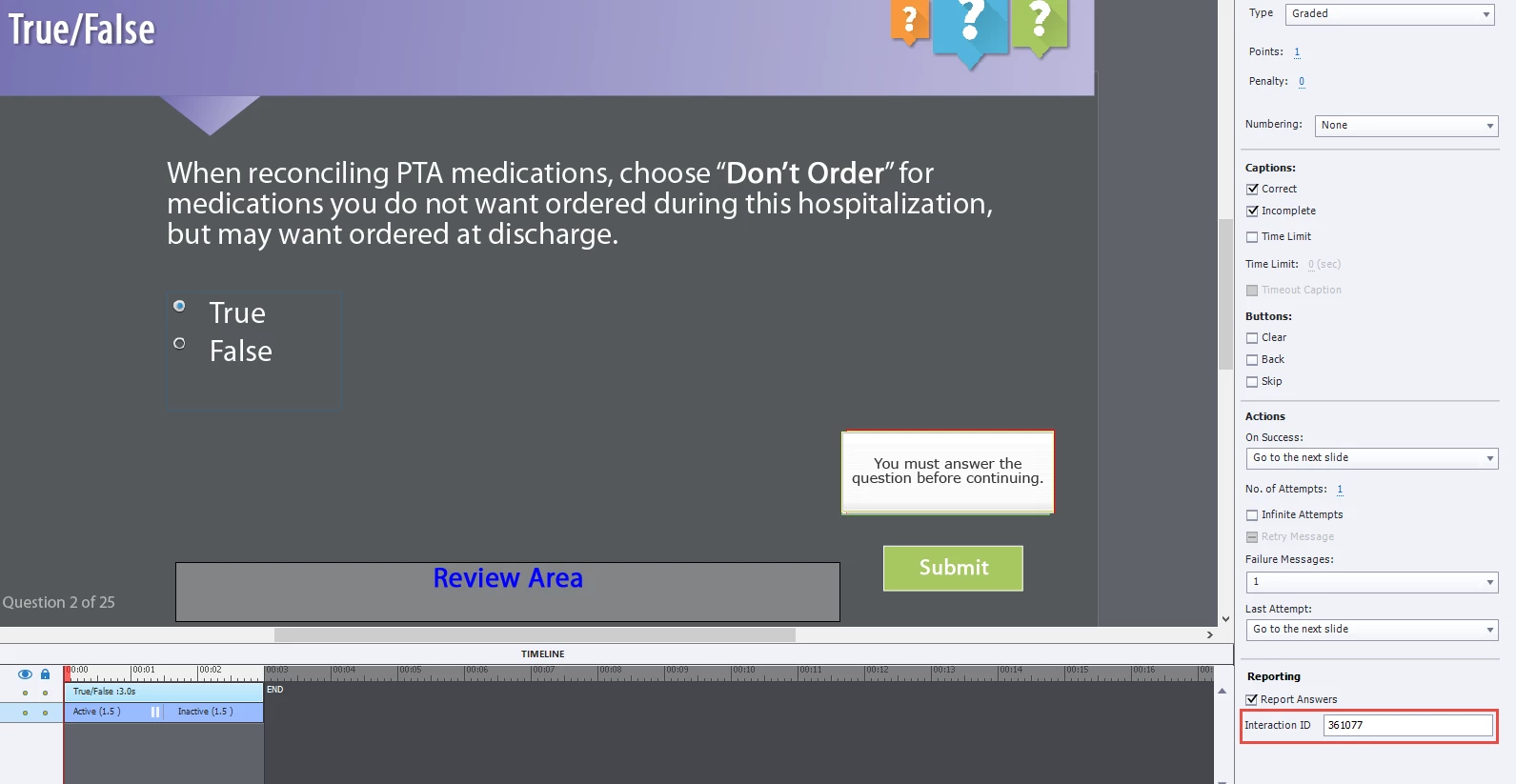
So it is basically like Captivate is not sending the correct question text to the LMS. How do I change this in Captivate so that it sends the correct Question Text Description to the LMS. We are using Cornerstone if that matters....
 AdChoices