Participant
January 27, 2011
Question

How do I control the spacing and position of skin buttons?

  • January 27, 2011
  • 1 reply
  • 652 views

I'm trying to adhere to best practices, and instead of building the navigation into my module, I'm trying to develop it as a skin.

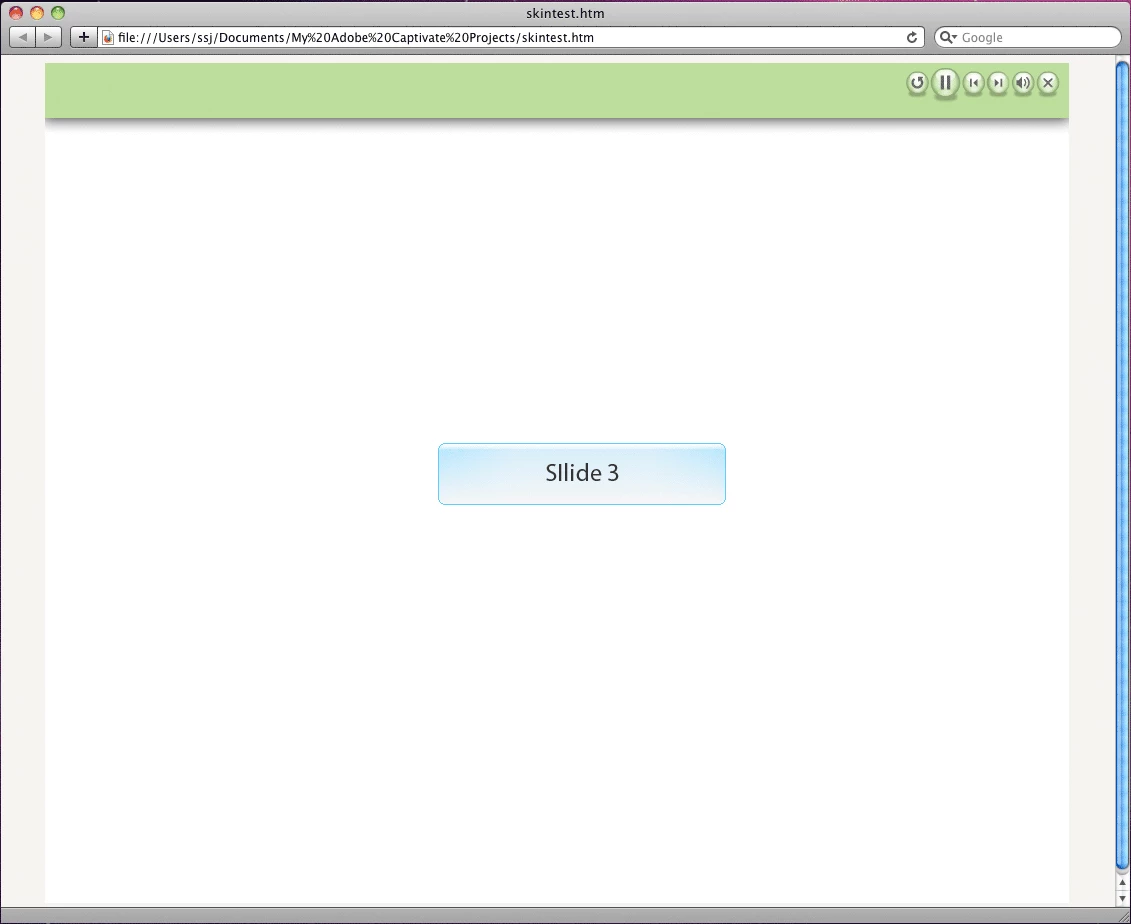
The top image is how the client would like the navigation to look, if you look close, you'll see there is a drop shadow around the image, and some space at the top.

The bottom image is as close as I've been able to come to making the design work. I can upload the green and drop shadow part as a border image and I've been able to edit the Pearl skin buttons to resemble what I'm looking for.

What I would LIKE to be able to do is:

1. Control how far down the buttons are from the top of the page.

2. Control how far the buttons are spaced apart from each other.

Does anyone have any ideas on how to do this? I'm totally fine with opening and editing .FLA's.

Basically, how do I get the skin in the second image to look more like the design in the first image?

Thanks so much!

Stephen

    This topic has been closed for replies.

    1 reply

    Participant
    January 28, 2011

    Does anyone have any insight into this issue?

    Mr_TD
    Inspiring
    January 30, 2011

    Hi Stephen jenkins,

    are you doing this as a widget? That would make it easier for me to answer.

    Best TD

    Participant
    January 30, 2011

    Thanks for replying! This is kind of a technical subject, so I really appreciate your willingness to help.

    I'm not doing this as a Widget, I'm trying to edit the raw .FLA files for a skin template, which I find in:

    /Adobe Captivate 5/Templates/AS3/Pearls.fla

    I can see the individual buttons, and that makes sense, but I would like their registration in the final product to resemble the example I shared, instead of being tightly group in the top right of the menu. Right now, I'm using a texture image to achieve the background look and feel, but it still isn't what I need.

    Do you think using Widgets would be a better way to implement this?

    I'm taking this project over from another developer and they were able to implement the look I have been charged to implement, but they did it in a clunky way, the nav is part of the project and just swimming around with the other content, not very portable to other projects...

    I'm open to any ideas that would help me achieve my goal.

    Thank you very much!