

Answered
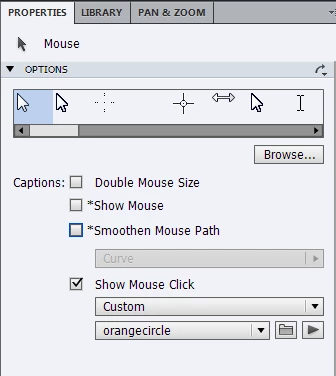
How do I edit out the mouse pointer from Video Demos?
I have recorded a few short video demos and would like to leave the mouse pointer in so it can be seen, but on occasions I need to edit it out, is there a way to do this?

I have recorded a few short video demos and would like to leave the mouse pointer in so it can be seen, but on occasions I need to edit it out, is there a way to do this?
Thanks for the replies that really helps, just one more question. How do I Keep the click but remove the path?
Already have an account? Login
Enter your E-mail address. We'll send you an e-mail with instructions to reset your password.
 AdChoices