Participant
December 15, 2015
Question

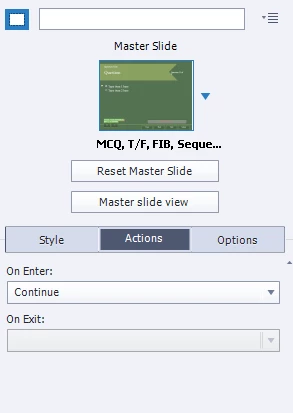
How do I edit the "on exit" for a pretest within the properties action?

  • December 15, 2015
  • 2 replies
  • 117 views

    This topic has been closed for replies.

    2 replies

    RodWard
    Community Expert
    Community Expert
    December 16, 2015

    Select one of the Pretest questions, go to the Quiz tab > Actions section and click the button to Edit Pretest Action.

    You'll see a Conditional Action.

    Edit the passing score percentage in the condition block, and set the Action to what slide you want it to jump to if they achieve the passing score.  Set the Else Action to Continue, or to jump to an appropriate slide where they can view the content.

    Captiv8r
    Legend
    December 16, 2015

    Hi there

    I believe there is no "on Exit" because you are expected to manipulate these using Advanced Actions.

    Cheers... Rick