


How do I hide the submit button and show the next button in a custom knowledge check slide?
Hello all,
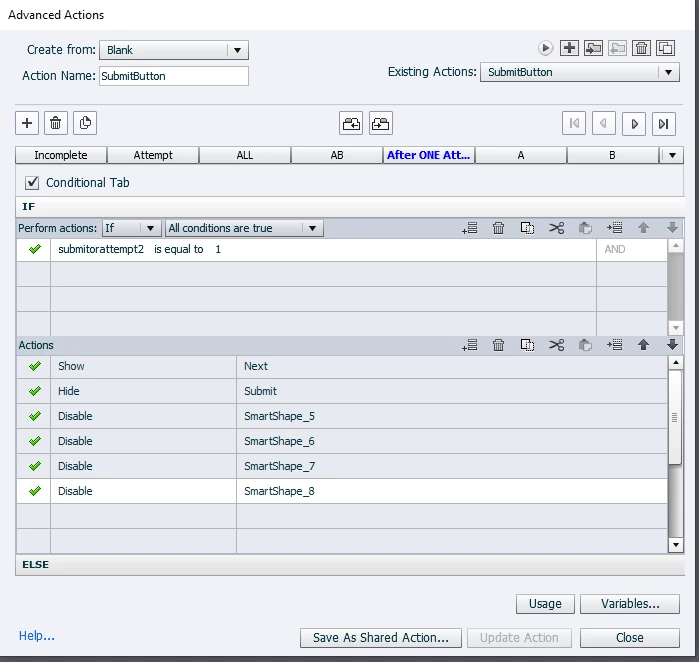
I have a multiple correct custom knowledge check slide that I've created where more than one answer must be selected. I've created advanced actions where I only want the learner to have one attempt, once the question is answered I want the submit button to disappear and the next button to appear to continue to the next slide. Currently, it is doing the opposite where the next button is always there. I don't know where I am going wrong under advanced actions for the submit button to execute this action. This is what I have set up so far under the submit button:
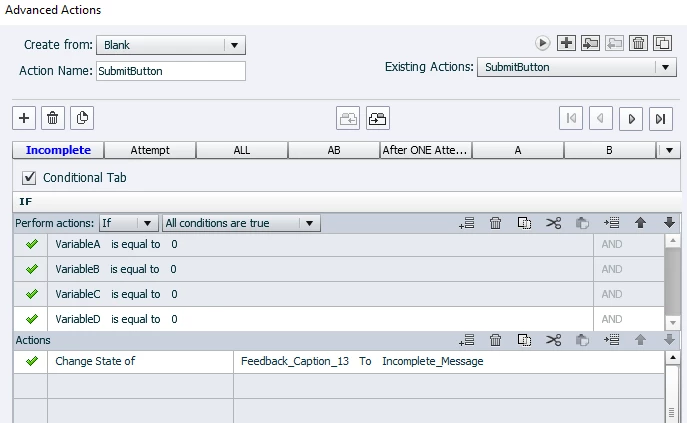
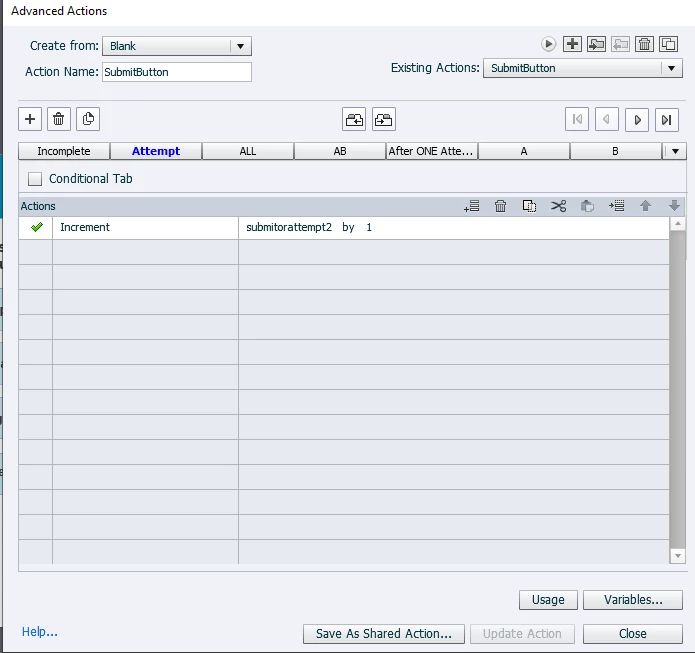
Then if any of the incorrect answers are selected the action looks like the tab below for each of them:
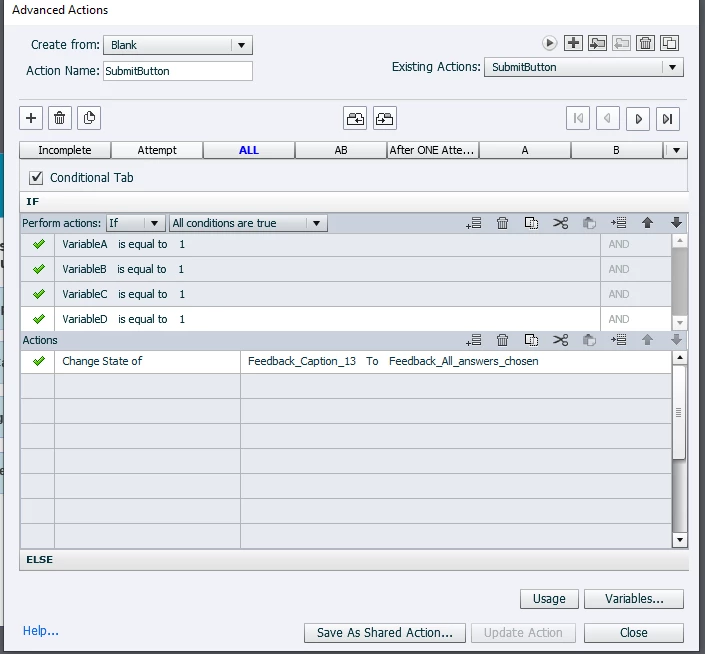
The correct answer is A and B and that action looks like this below:
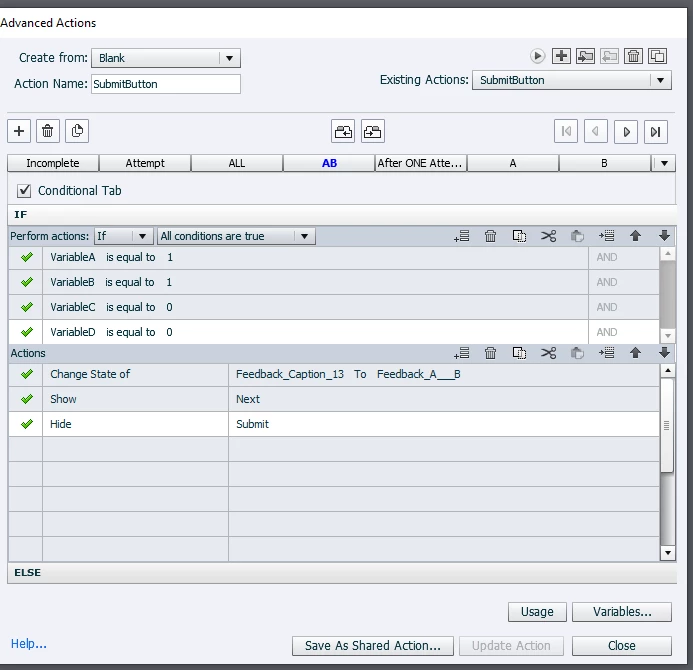
Then finally after the last attempt action is found below:
I can't figure out where I am going wrong? Any help or insight is much appreciated :).
 AdChoices