
Participating Frequently
December 7, 2017
Answered

How do I make what the learner types in the Text Entry box of one slide appear in another slide? Is this possible?

  • December 7, 2017
  • 1 reply
  • 252 views

I am using Captivate 2017.  I need to make what the learner enters into one slide, appear in the slide that follows it.  Is this possible with Captivate?

Thanks!
    This topic has been closed for replies.
    Correct answer Lilybiri

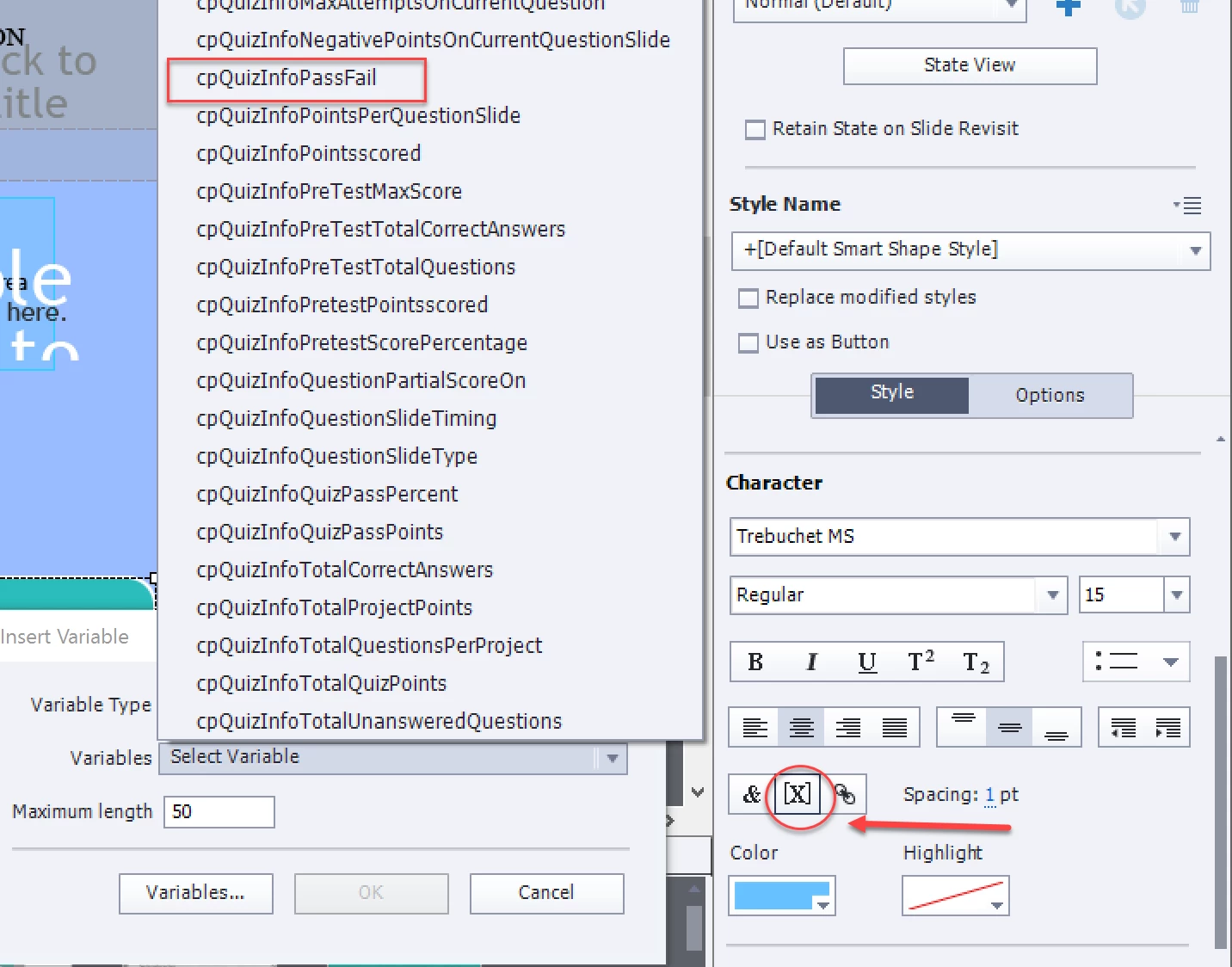
    I changed the title: a learner cannot type in a Text Caption, only in a Text Entry Box. That TEB has an associated variable.. The generic name of that variable is the same as the name of the TEB. Insert that variable  in a text container on the later slide. A text container can be a caption or a shape. Use the X button to insert the variable, it will be enclosed in $$ but that is a placeholder. On Runtime it will be rpelaced by the value of the variable.

    In this screenshot I show that X button, and have chosen another variable.

    1 reply

    Lilybiri
    LilybiriCorrect answer
    Legend
    December 7, 2017

    I changed the title: a learner cannot type in a Text Caption, only in a Text Entry Box. That TEB has an associated variable.. The generic name of that variable is the same as the name of the TEB. Insert that variable  in a text container on the later slide. A text container can be a caption or a shape. Use the X button to insert the variable, it will be enclosed in $$ but that is a placeholder. On Runtime it will be rpelaced by the value of the variable.

    In this screenshot I show that X button, and have chosen another variable.

    kvh860839Author
    Participating Frequently
    December 12, 2017

    Thank you, that worked perfectly!