

Answered
How do I open Captivate 2017?
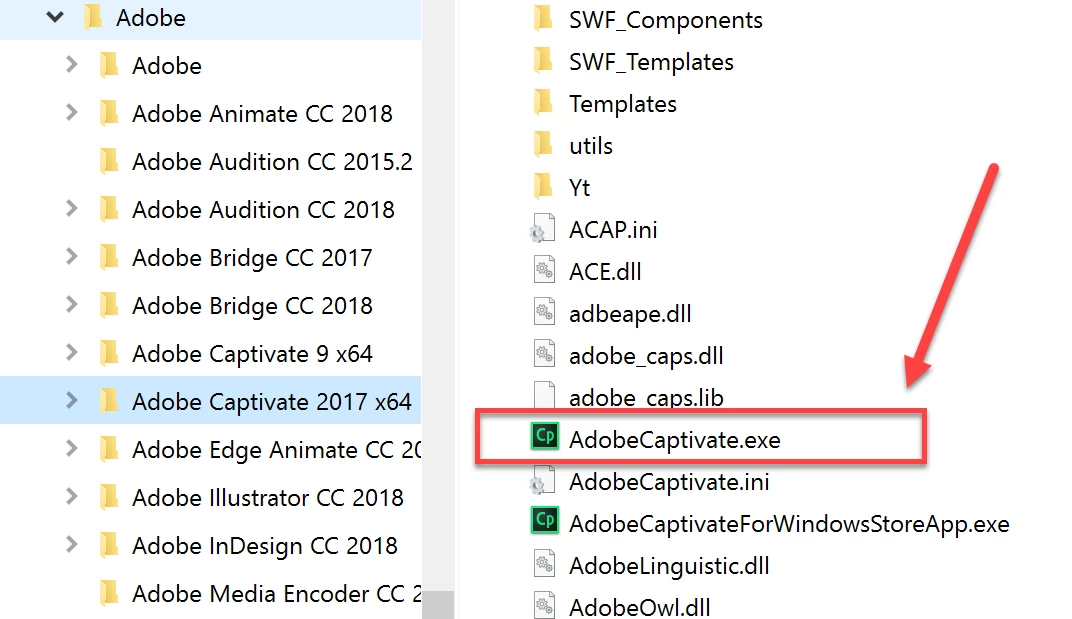
How do I launch Captivate 2017 to start a new project? I think I have successfully downloaded Captivate 2017. But I only see Adobe Captivate Reviewer 2017 in my Start Menu not an option to launch a Captivate 2017 session. If I open an existing project (started in Captivate 9), it opens in 2017; I can open a new project in 2017 from that session. Note that I can still open Captivate 9 and launch my projects through that version.
Am I supposed to go the Adobe website to open a new session of 2017 instead of seeing it listed in my Start Menu? If so, it is not listed under my applications when I sign into the Adobe website. Nothing is listed for me. Thank you for your help.
 AdChoices