mallenwelsh
Participating Frequently
November 14, 2017
Answered

How do I stop audio from playing when arriving on a slide?

  • November 14, 2017
  • 1 reply
  • 743 views

I want audio on a slide to start automatically upon arriving at a slide the first time, but when I return to the slide after branching to a different slide, I want the audio to not auto-play. Can I do that in CP9? 

    This topic has been closed for replies.
    Correct answer Lilybiri

    Thank you for your patience...I am using CP9.

    I found the Variables, under Projects, and I think I have set it up (though if you included a sample of what it might look like I could replicate it). I don't know what to do next. I don't know what the Advanced Action should look like. Nothing I set says "Execute Action."


    BIt more complicated than in CP2017 (have a full descriptive blog psot about the Advanced Actions dialog box for CCP2017).

    Variable:ue (that is gone in CP2017):
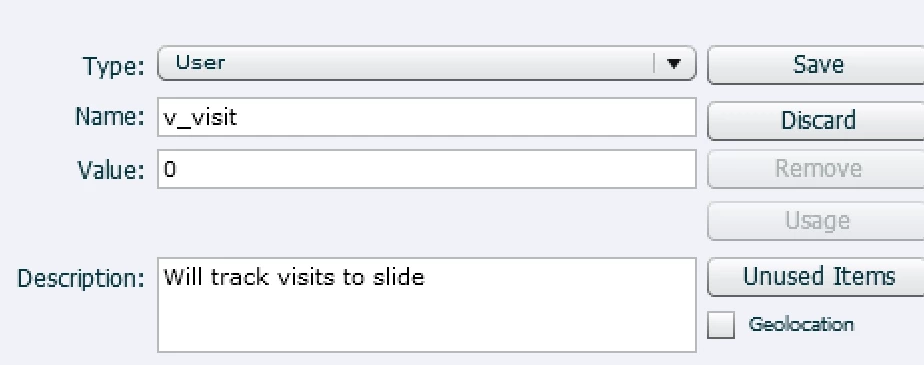
    Advanced Action, first decision TrackVar needs a conditio that is always true:
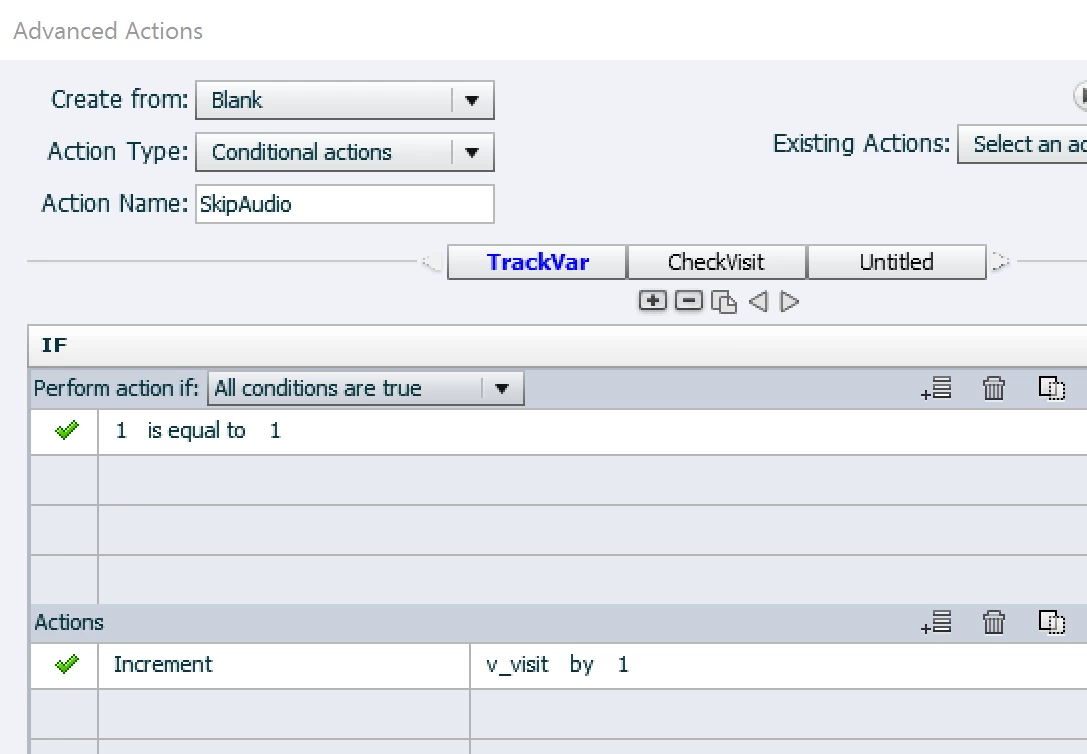
    Second Decision CheckVisit, THEN part:
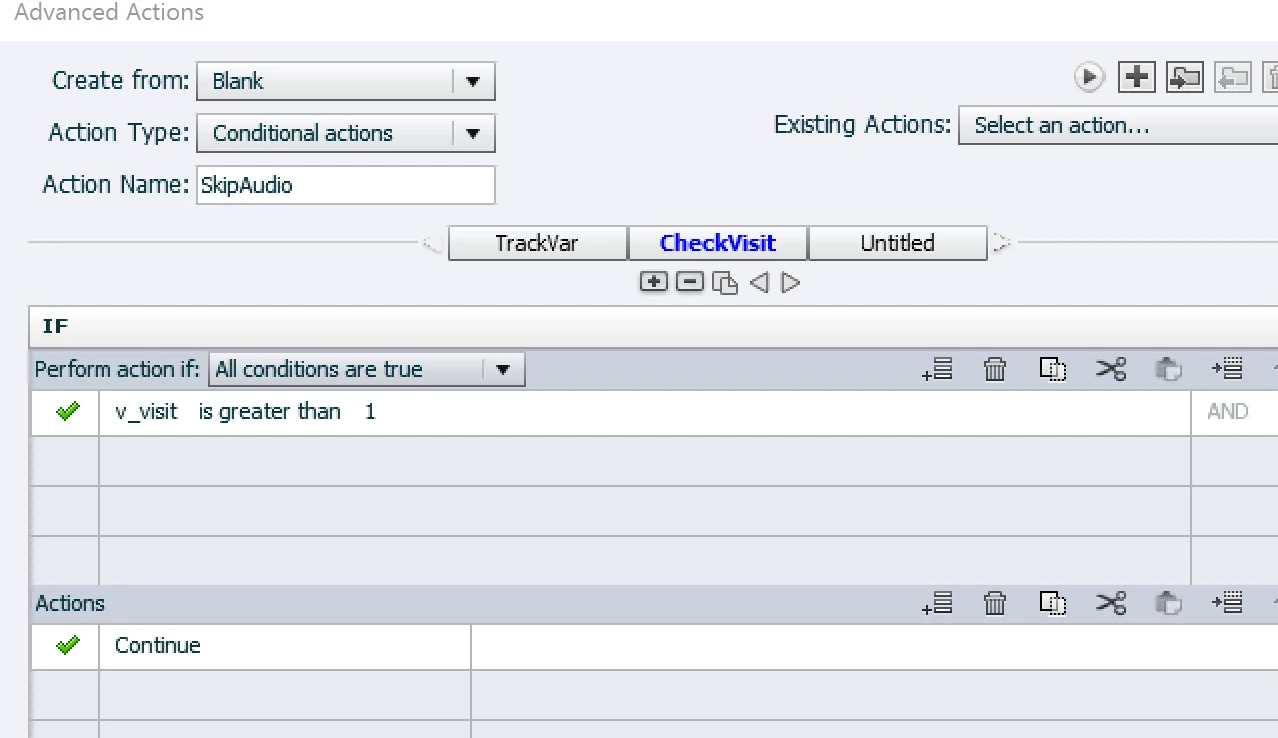
    ELSE part:
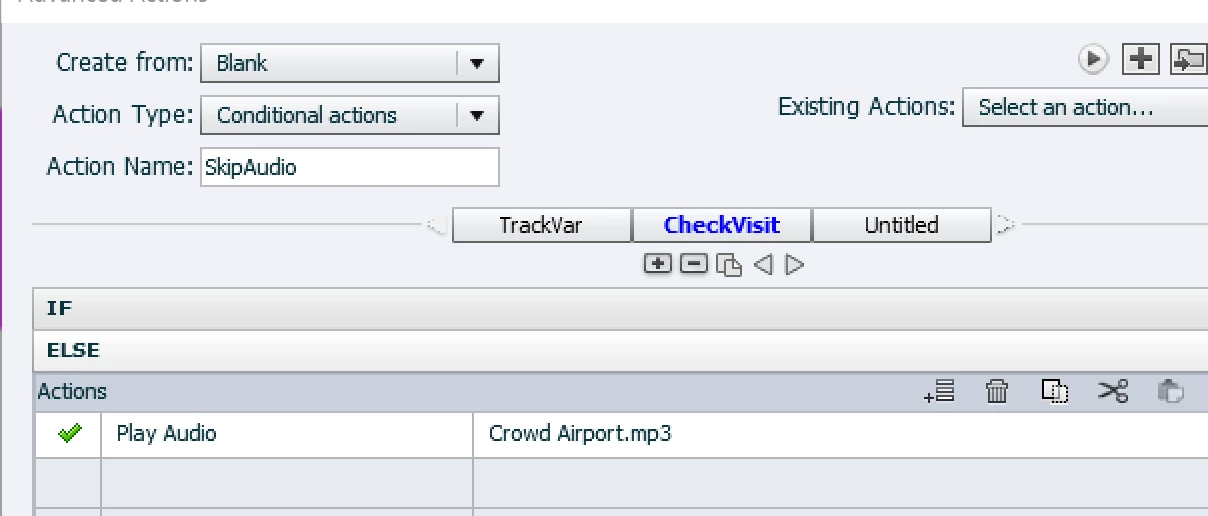
    When this is created, choose the action 'Execute Advanced Actions' for the On Enter event of the slide, and choose the action you just created.

    1 reply

    Lilybiri
    Legend
    November 14, 2017

    Do you want something like in this movie?

    http://www.lilybiri.com/published/FirstView/index.html

    I can explain the workflow, but first tell me which type of audio you used: slide audio, object audio, or audio started with Play Audio command? Other question: do you need Closed Captioning? Third question: do you want to allow the user to play the audio the second time?

    mallenwelsh
    Participating Frequently
    November 14, 2017

    So I do not need every slide audio file to turn off when I return, but that is not terrible if that is the only option. When using a different software, I left the audio playing on every slide except the slide that I returned to multiple times.

    In terms of which audio command I am using, I am flexible and do not have a preference as long as it can work for me.

    I do not need Closed Captioning. I do not need the student to be able to turn the audio back on for the other slides, but they are accustom to hearing audio on the other slides if they return. Primarily, I’m looking for a way to turn off the audio once they return to the main slide from branching and have arrived at the main page a second, third or fourth time.

    Lilybiri
    Legend
    November 14, 2017

    Did you watch that movie, please? I offer two possibilities to skip the audio second time. Which one do you want?