elearningbuilder11
Inspiring
January 15, 2018
Answered

How Do We Delete Styles?

  • January 15, 2018
  • 3 replies
  • 680 views

Hello,

How do I delete / get rid of,  the ones I created on this list?
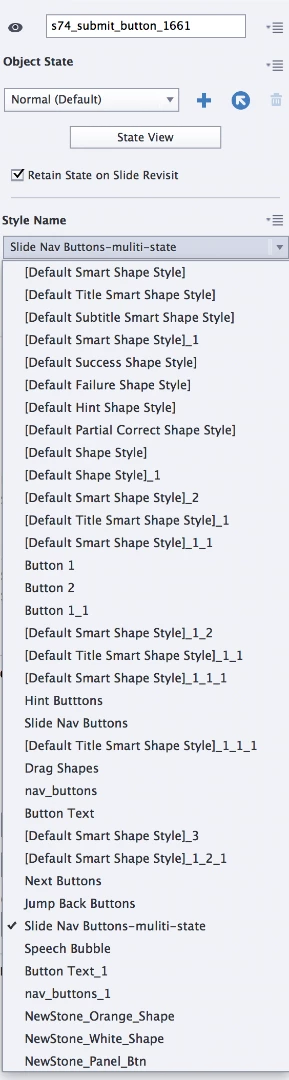
Thank you.

This topic has been closed for replies.
Correct answer Lilybiri

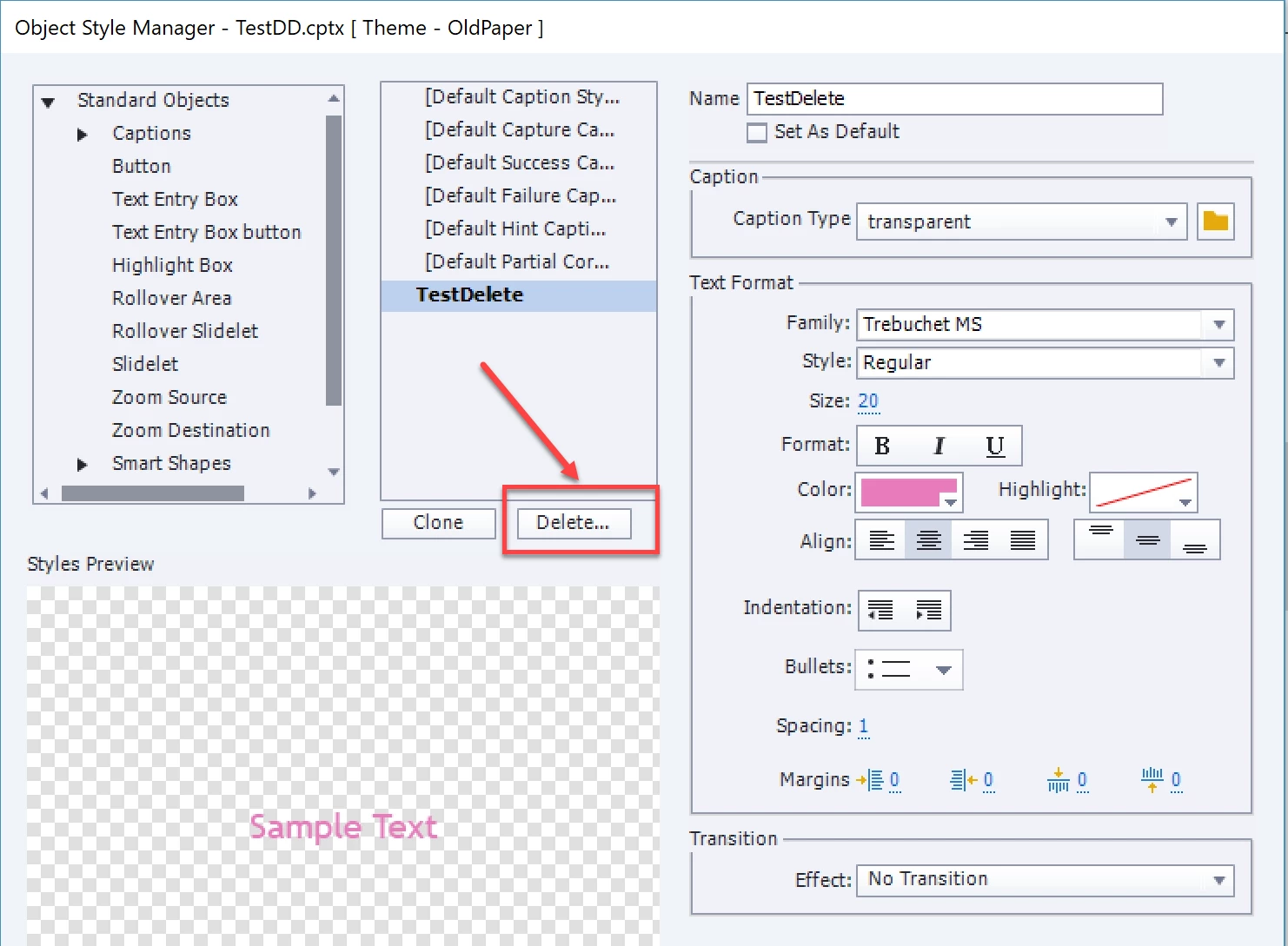
Never had such a list! Do you not know the Object Style Manager? For any new project after having created a Theme Color paletter, I start with that OSM to create Object Styles, and set the most used as default styles.  Then I switch to set up the master slides and the skin. All are part of the Theme which I will save. In the OSM you'll find the Delete button for a style:
Maybe this could be interesting to read:

What's in a Theme - a Template? - Captivate blog

3 replies

elearningbuilder11
Inspiring
January 30, 2018

Thank you, thank you!

(yes, used a previous project as a 'template') - Still need advanced CP2017 training....

RodWard
Community Expert
Community Expert
January 16, 2018

That list would result from doing either a lot of copying and pasting of content, or else you have been importing and changing Themes.

There is no simple easy fix to remove all the additional redundant styles.  You need to select each one in the Object Style Manager and then when you try to delete it, if there are any objects attached to that style, a dialog will ask you to reassign the objects to a different style of your choosing.  It's tedious, but it can be done.

The first time I saw this happen to me, it made me swear off copying and pasting lots of content between projects.

Lilybiri
LilybiriCorrect answer
Legend
January 15, 2018

Never had such a list! Do you not know the Object Style Manager? For any new project after having created a Theme Color paletter, I start with that OSM to create Object Styles, and set the most used as default styles.  Then I switch to set up the master slides and the skin. All are part of the Theme which I will save. In the OSM you'll find the Delete button for a style:

Maybe this could be interesting to read:

What's in a Theme - a Template? - Captivate blog