Answered
How do you remove a button in a Learning Interaction
All the learning interactions have 4 buttons. You can add more buttons, but I don't see a way to remove one. I only need three. After posting this I saw the answer. So simple. Thank you.
All the learning interactions have 4 buttons. You can add more buttons, but I don't see a way to remove one. I only need three. After posting this I saw the answer. So simple. Thank you.
You are talking about which interaction, please? All interactions have a minimum and a maximum number of buttons, those numbers are not the same for every interaction. To delete a button, in the configuration dialog go into edit mode for the label of the button, a minus sign will appear (location depends on the interaction), click it and that button will be deleted. Here is a screenshot for the Tabs interaction.
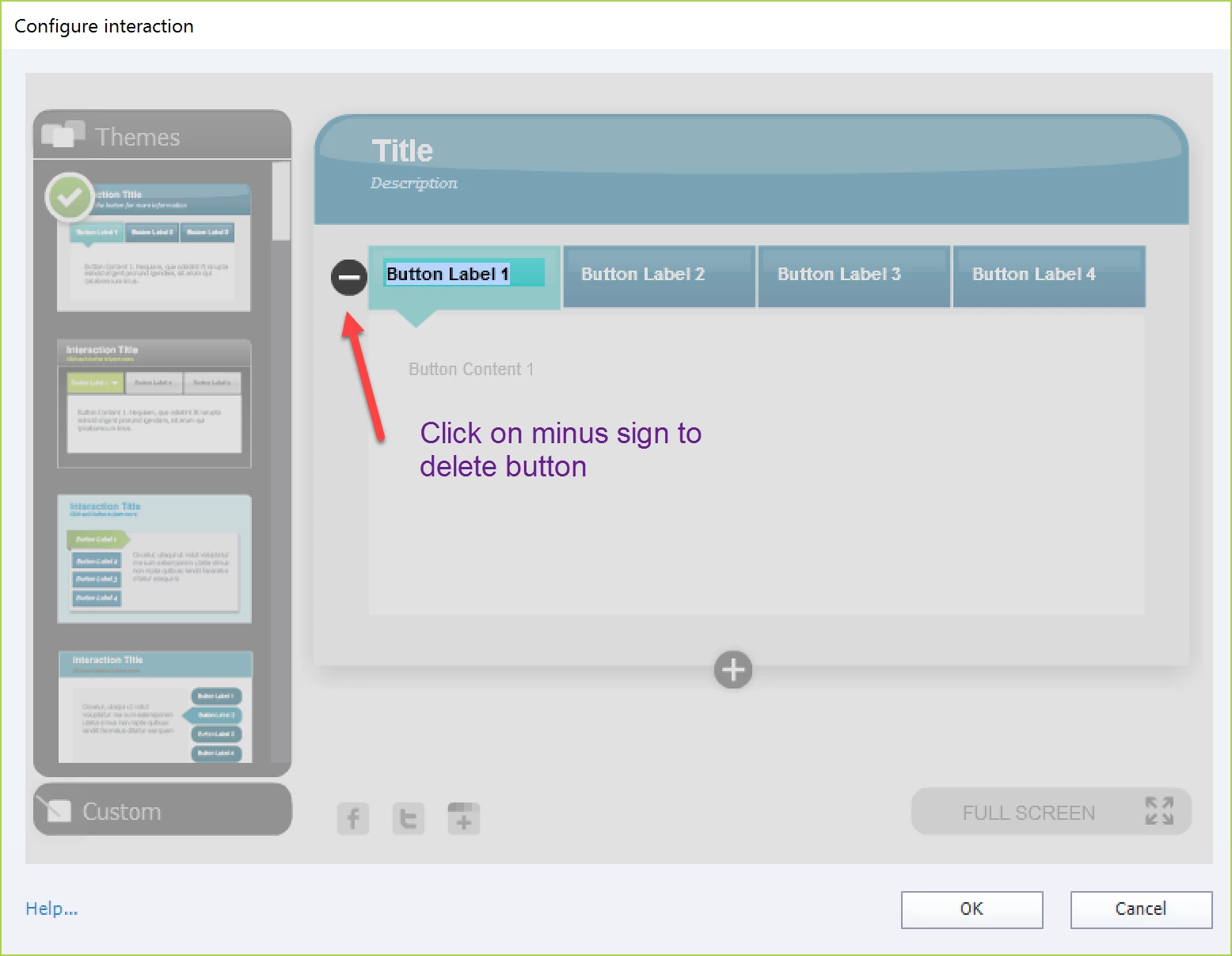
You can download a table with all interactions from this blog post:
Already have an account? Login
Enter your E-mail address. We'll send you an e-mail with instructions to reset your password.
 AdChoices