
September 6, 2015
Answered

How to center a group of shapes on the slide?

  • September 6, 2015
  • 3 replies
  • 1646 views

If I select and right click a shape, then I can mark the option ALIGN CENTER HORIZONTALLY ON THE SLIDE, to center the shape. But, if I group two or three shapes, there is no way to center the group. The ALIGN options become dimmed.

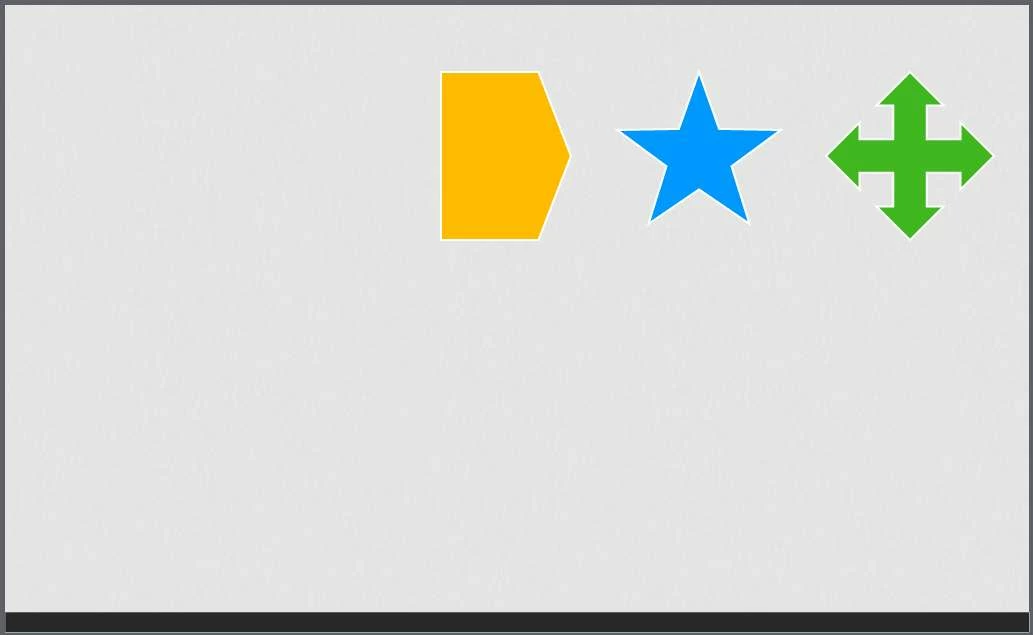
How can I center a GROUP of shapes on the slide? In the example image, I want to center that group of three shapes.

thanks!
This topic has been closed for replies.
Correct answer mohanadas

Hi,

Currently in Captivate 9 we do not support Align options for a group for Responsive projects. Alignment of individual objects is possible.

Thanks for bringing it up, we will surely consider it for future releases.

Thanks,

Mohana

3 replies

mohanadas
Adobe Employee
mohanadasCorrect answer
Adobe Employee
September 7, 2015

Hi,

Currently in Captivate 9 we do not support Align options for a group for Responsive projects. Alignment of individual objects is possible.

Thanks for bringing it up, we will surely consider it for future releases.

Thanks,

Mohana

September 7, 2015

thanks Mohana!

September 6, 2015

The only solution I found out is to create another shape (like an rectangle), and to center it on the slide. Then I unchecked the option for aligning the rectangle. And then is possible to align the group of shapes using the rectangle as a reference. But maybe there is an easier solution...

In the example I used the black rectangle as a reference to align the group of shapes.

Captiv8r
Legend
September 6, 2015

Hi there

Try clicking directly on one of the shapes. I tried that and the group was selected. I was then able to center the group that way.

Cheers... Rick

September 6, 2015

Thanks!

I tried doing what you say, but see what happened:

The goal is to center the group of 2 shapes:

I clicked in the cross and select it:

Now I checked the option:

But see what happened. The cross moved to the left, and the group has not been centered right on the slide.

What exactly you did?

Captiv8r
Legend
September 6, 2015

See if the video linked below helps.

Click here to view

Cheers... Rick