

Answered
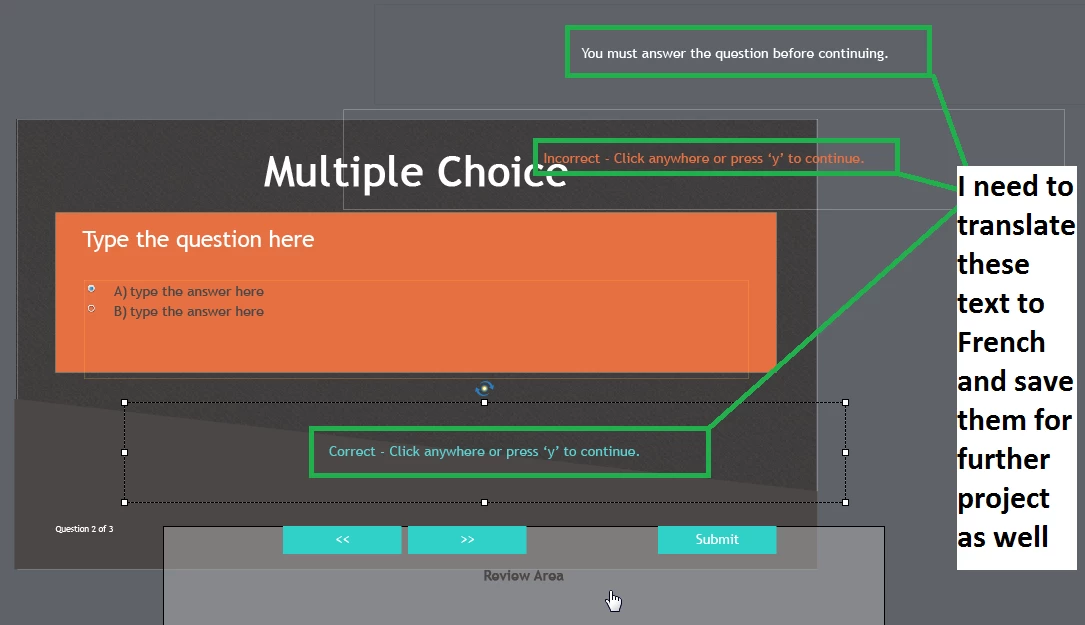
How to change the "text" defaulting on Default Hint Shape Style ?
I am totally new to Captivate.
My first language is French.
I use Captivate 9.0.2.437
I am trying to customize some quiz slides.
I was able to find default labels in Quiz preferences, but it is for Default Hint caption style and not for default hint shape style.
I need to change for example where it says you must answer the question before continuing to the translation in French.
I need to be able to save these as default because I will use the French version of those quite often.
Just a few hint on where to llok to change the text and I should be good.
Any tutorials would be appreciated as well
Regards

 AdChoices