Participating Frequently
October 13, 2017
Answered

How to Combine a Rollover Image and Rollover Caption

  • October 13, 2017
  • 3 replies
  • 687 views

Rollover Image and Rollover Caption Combination

Hi,

When I overlay a Rollover Image and Rollover Caption, only one or the other displays in the publication. How do I make both of them appear together (merge the highlight areas)?

Please see the attached document with screenshots of the developer files and publication.

Thanks

Tom  
    This topic has been closed for replies.
    Correct answer Lilybiri

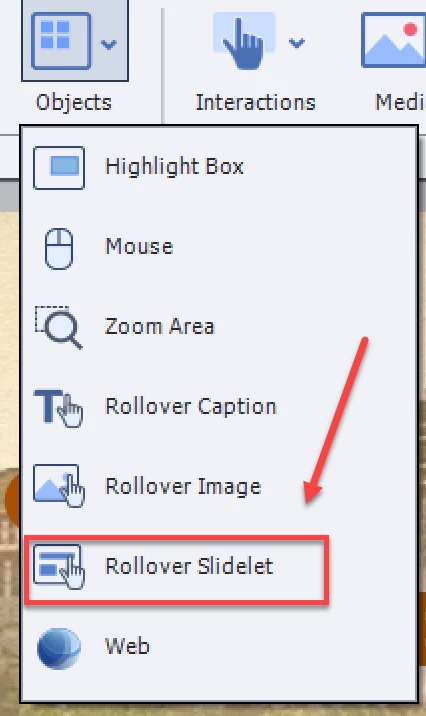
    Use the rollover slidelet, which you can find under the Objects button:

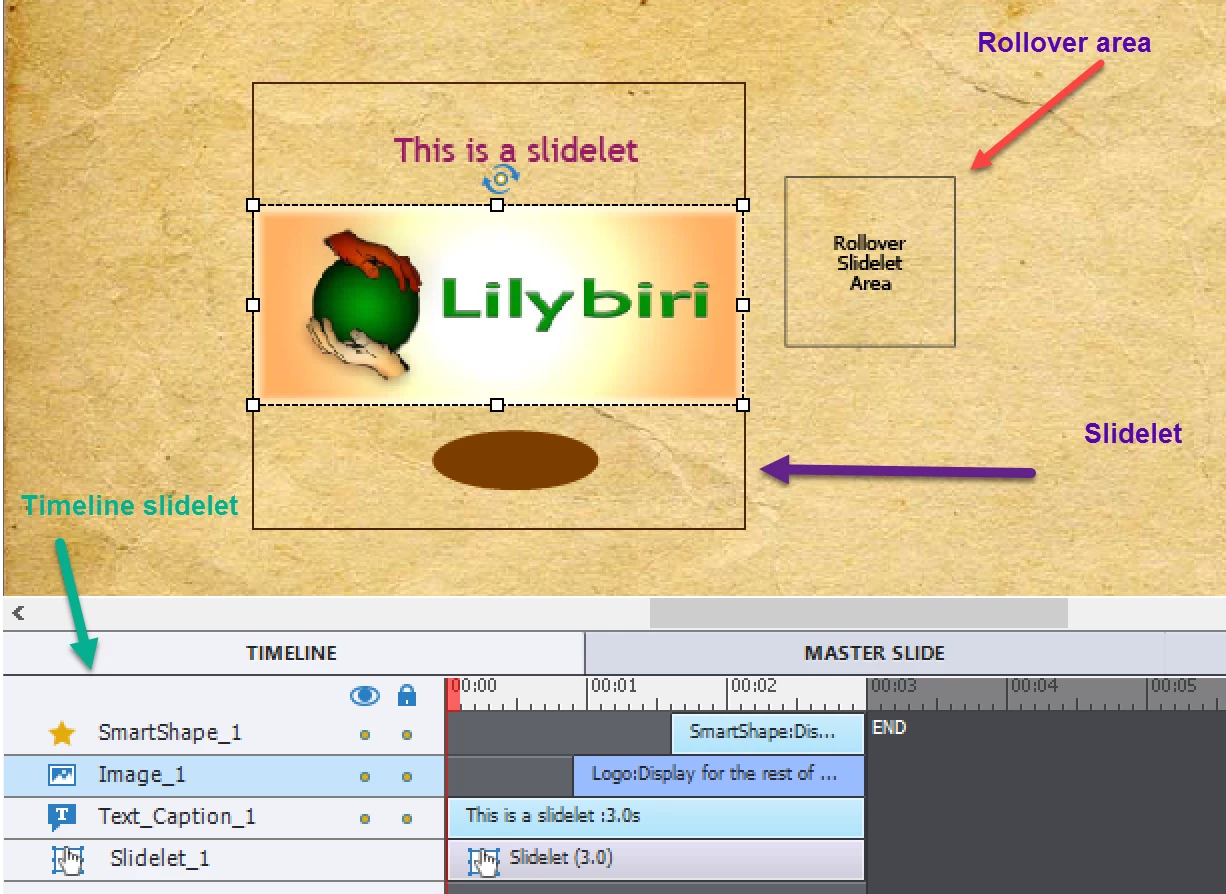
    You will get a rollover area and a slidelet area. When the slidelet area is selected/active you'll get a separate timeline, where you can enter as many objects as you wanted, eventually staggered in the time. Here is an example where I inserted a text caption, a shape and an image:

    3 replies

    Lilybiri
    Legend
    October 13, 2017

    The rollover slide let was created for the purpose of combining several objects to appear on rollover. It even has its own timeline.

    However, hope you are aware of the fact that rollovers, caption/image/slidelet are not supported for HTML5. EOL oft the flash player, needed to play SWF output, is announced for 2020.

    Participating Frequently
    October 13, 2017

    Hi,

    Yes, it's not needed for html5. Please can you propose a solution with the current version?

    Thanks

    Tom

    Lilybiri
    LilybiriCorrect answer
    Legend
    October 13, 2017

    Use the rollover slidelet, which you can find under the Objects button:

    You will get a rollover area and a slidelet area. When the slidelet area is selected/active you'll get a separate timeline, where you can enter as many objects as you wanted, eventually staggered in the time. Here is an example where I inserted a text caption, a shape and an image:

    ankits61431843
    Inspiring
    October 13, 2017

    If you want screenshots to share please let me know.

    Participating Frequently
    October 13, 2017

    Thanks for your response. Yes, please can I have more description on how to do this with screenshots.

    Thanks. Tom

    ankits61431843
    Inspiring
    October 13, 2017

    You can create a smartshape as transparent over the highlighted area and on the rollover state you can keep image and caption both at the same time.