Answered
How to continue the installation?
If I want to install the voices or perform an update, I get options displayed, but no buttons to continue the installation. Here is an example:
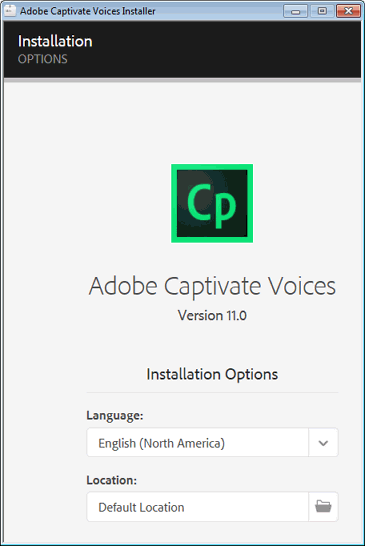
How can I continue the installation?
Thank you

If I want to install the voices or perform an update, I get options displayed, but no buttons to continue the installation. Here is an example:
How can I continue the installation?
Thank you
Hi RodWard,
Thanks for your answer.
The display problem is not solved - I use three monitors with the recommended screen resolutions. However, I can reach the buttons by pressing the Tab key. This allowed me to perform the installation and update.
Have a nice day.
Already have an account? Login
Enter your E-mail address. We'll send you an e-mail with instructions to reset your password.


 AdChoices