Inspiring
April 18, 2016
Answered

How to create a TOC with flyout submenu?

  • April 18, 2016
  • 1 reply
  • 397 views

Is it possible to create a submenu using the standard TOC function? We need a flyout submenu there ...

This topic has been closed for replies.
Correct answer Lilybiri

That would be my suggestion: using variables, shared (or advanced, but here you definitely can use shared) actions to create such a menu. You can put it on the first slide, timed for the rest of the project. Then use a toggle button to show/hide that menu.

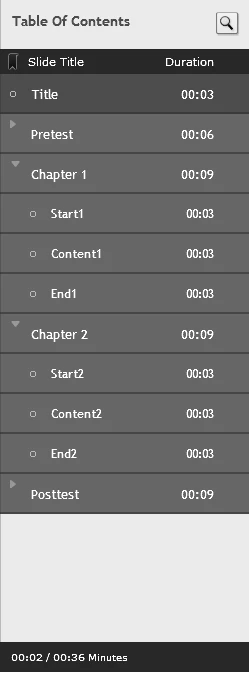
No built-in solution, although what I explained about grouping slides, with expanding/collapsing groups can be a more limited version if you use the available TOC.
1 reply

Lilybiri
Legend
April 18, 2016

At least if I understand your question well, the answer is No.

TOC is not a menu as I understand: you can use it for navigation to a slide, and that is it. Although you can group slides, and even create subgroups in the TOC itself (more levels than is possible in the Filmstrip), show and collapse those groups, only the navigation by clicking on a real slide name will work.

If you told bit more about your real goal?

Inspiring
April 18, 2016

Dear Lilybiri,

thanks for replying so fast - even if it´s not the answer I was hoping for

Here´s a glimpse of what we need:

I thought of adjusting one of the skins to get a custom look for the play buttons and stuff, with the functionality Captivate is offering. The only other way to get a menu like that seems to be creating menu buttons and working with advanced action, variables and such things - which are still quite complicated and intensive for me ... So I was hoping for a "in-built" solution

Lilybiri
LilybiriCorrect answer
Legend
April 18, 2016

That would be my suggestion: using variables, shared (or advanced, but here you definitely can use shared) actions to create such a menu. You can put it on the first slide, timed for the rest of the project. Then use a toggle button to show/hide that menu.

No built-in solution, although what I explained about grouping slides, with expanding/collapsing groups can be a more limited version if you use the available TOC.