nicolas-hsj
Known Participant
February 18, 2016
Question

How to create one single table (or object) for several slides

  • February 18, 2016
  • 1 reply
  • 326 views

Hi,

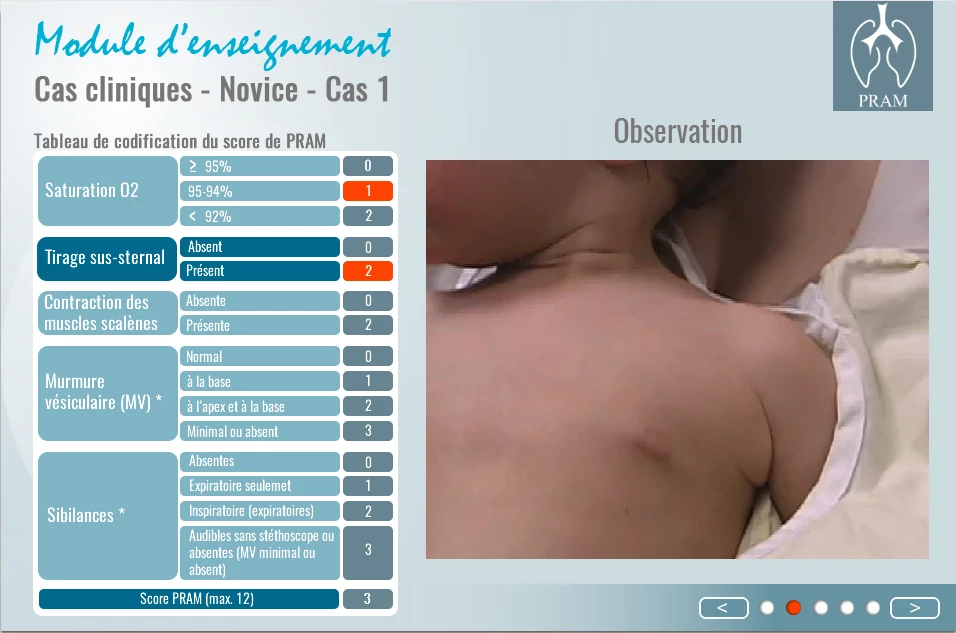
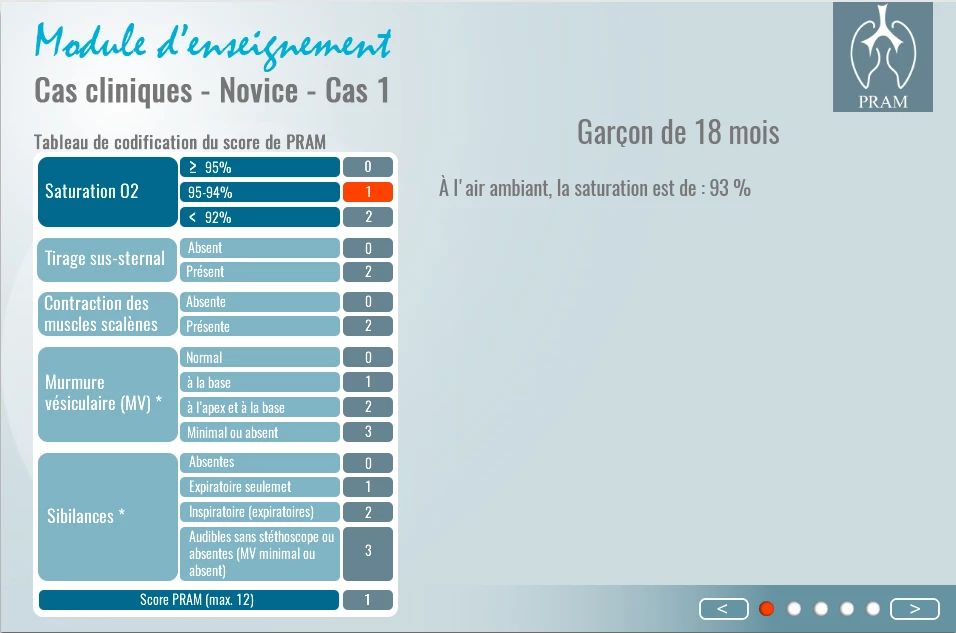
I need to have the same table in 5 different slides.

Indeed, this table includes several buttons which, when pressed, change colour (image).

All the pressed buttons are added.

Rather than having to create 5 tables, is it possible to create just 1 table and call it back in each slide ?

Thank you

Nicolas
    This topic has been closed for replies.

    1 reply

    Lilybiri
    Legend
    February 18, 2016

    Bonjour, mais je vais continuer en Anglais.

    It depends on the 'buttons': if you use shape buttons instead of a normal button (not visible on your screenshot, could be a Transparent or a shape button), you can time the table (group everything) for the rest of the project, always on top. You can hide the table on any slide where you don't need if using the On Enter event, and show it again on the slides where you need it. That has the advantage that all objects and the group will have only one ID, and since you have the same button everywhere no issues with the actions attached to the buttons neither.

    You don't tell which version you are using. From the screenshots I see small differences (colors), which could be done with states in CP9.

    nicolas-hsj
    Known Participant
    February 18, 2016

    Hi Lilybiri,

    Thank you for your reply.

    I am not sure I understood your explanation...

    For example, I have 2 slides.

    On the 1st one, I create 2 shape buttons, button 1 and button 2. Each button shows an image.

    What I need is :

    - to have the same buttons on the 2nd slide, with the same ID

    - to have the action displayed on slide 1 to be displayed on slide 2, and vice versa.

    If button 1 displays image 1 on slide 1, I would like to have the same image to display on slide 2.

    If button 2 displays image 2 on slide 2, I would like to have the same image to display on slide 1.

    Is my explanation clear enough ?

    My project includes : 3 different levels of difficulty, each level includes 5 cases, and each case includes 5 slides i.e. 5 tables...= 75 tables !

    I need to have a more efficient and quick way to proceed.

    Thank you for any kind of help you can give me.

    Nicolas

    nicolas-hsj
    Known Participant
    February 18, 2016

    It will be perfect if I could use the state object, but if I change to the state On when I press on the button it will be reset on the next slide... because it's not really the same button ?

    When I get out of the slide is the same. My button has lost its status On when I come back on the slide.