
Answered
How to Create Table of Contents?
How can I Create Table of contents, that can thick the box when you read the particular lesson?
Like the image attached.
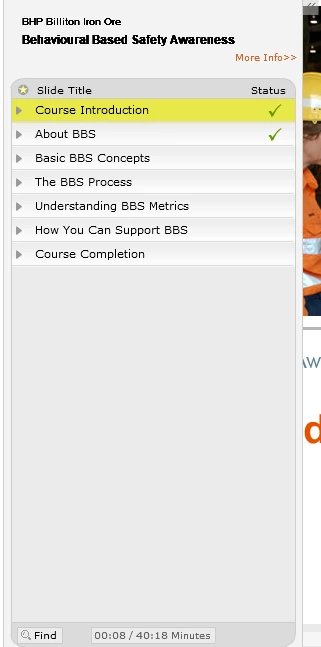

How can I Create Table of contents, that can thick the box when you read the particular lesson?
Like the image attached.
You are showing a picture from a course I created for a client about 10 years ago. From memory it was created with Captivate 5 or 5.5.
What version of Captivate are you using?
All current versions of Captivate allow you to create a TOC like this. You just need to go to Project > Skin Editor > TOC Settings and make sure the option is selected to show a TOC. By default the Status Flag option should be turned on. If not selected, just turn it on and you should see a TOC that ticks the boxes. It may look a little different to the TOC in earlier versions because nowadays the focus is on mobile devices, but it should still work.
Already have an account? Login
Enter your E-mail address. We'll send you an e-mail with instructions to reset your password.


 AdChoices