Known Participant
April 14, 2020
Answered

How to disable Resuming through clicking on slide?

  • April 14, 2020
  • 1 reply
  • 213 views

Hi everyone,


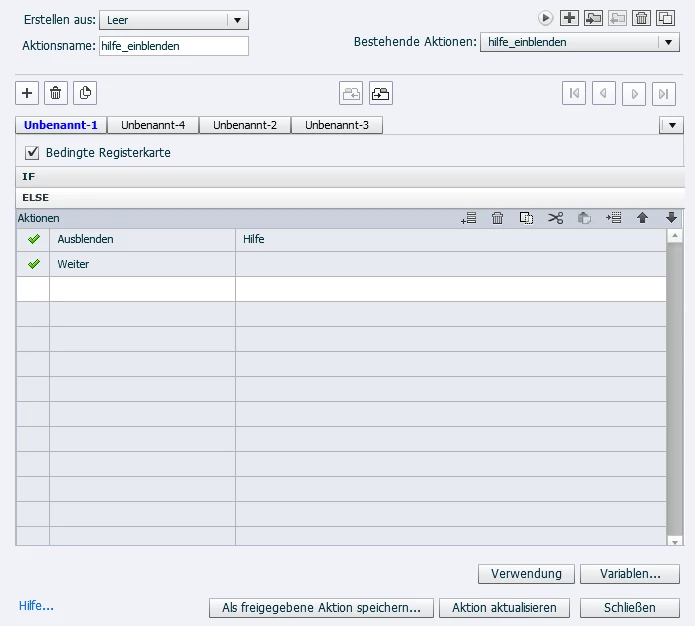
i have a button in my masterslide which pauses my project and activates a group of disquised shapes and textboxes

in my Project, independent which slide that you are on. Button funtions well until the point of resuming. The problem is, project resumes anywhere i click. What i want to do is resume the project by clicking only a specific button... Does anyone have any idea??


thx,


    This topic has been closed for replies.
    Correct answer Lilybiri

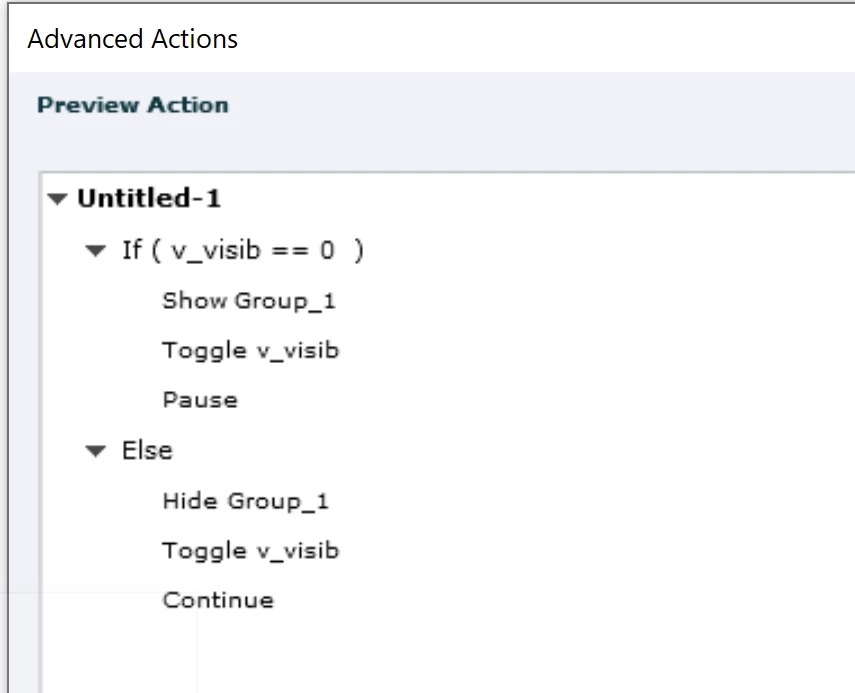
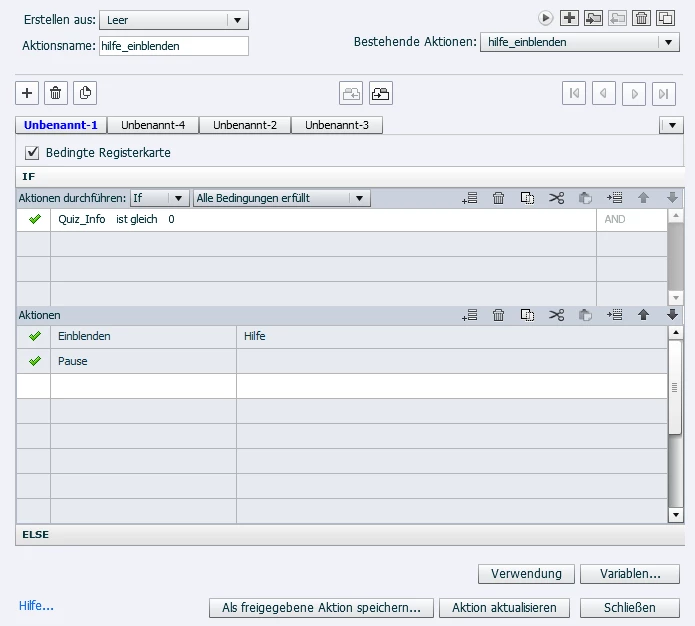
    OK, learned some new German translations. You show the advanced action triggered by the shape (or bitmap image or SVG) button on the master slide.  However you do have 4 decisions, are all populated? It is not default because that is 3 decisions, where two could be empty. BTW easier if you show the Preview window, instead of partial screenshots. Use the first icon in the top most control panel (arrow). Reading an action is easier.

    http://blog.lilybiri.com/advanced-actions-dialog-box-in-captivate-2017


    However, you forgot to Toggle the variable... 

    Do you have more interactive objects on slides?

    1 reply

    Lilybiri
    LilybiriCorrect answer
    Legend
    April 14, 2020

    OK, learned some new German translations. You show the advanced action triggered by the shape (or bitmap image or SVG) button on the master slide.  However you do have 4 decisions, are all populated? It is not default because that is 3 decisions, where two could be empty. BTW easier if you show the Preview window, instead of partial screenshots. Use the first icon in the top most control panel (arrow). Reading an action is easier.

    http://blog.lilybiri.com/advanced-actions-dialog-box-in-captivate-2017


    However, you forgot to Toggle the variable... 

    Do you have more interactive objects on slides?

    SancaksAuthor
    Known Participant
    April 24, 2020

    Hi Lilybiri,


    Thank you for the answer, i forgot to check the forum later. But we here solved the problem exactly as you have shown here. Thank you again. Btw, sorry for the german next time i am gonna try the explain the problem by sharing my preview window.


    Lilybiri
    Legend
    April 24, 2020

    Do not apologise for the use of German, you are welcome in any language. It is even a Win-Win situation because I learn some translations of Captivate's terminology. Reading German is not at all a problem for Flemish people, so close to our language. Technical terminology is another problem of course.

    Thread will only be considered as solved if you indicate one or more correct answers. Is that possible?