Known Participant
September 23, 2016
Question

How to Edit User Language in Widget Items

  • September 23, 2016
  • 2 replies
  • 170 views

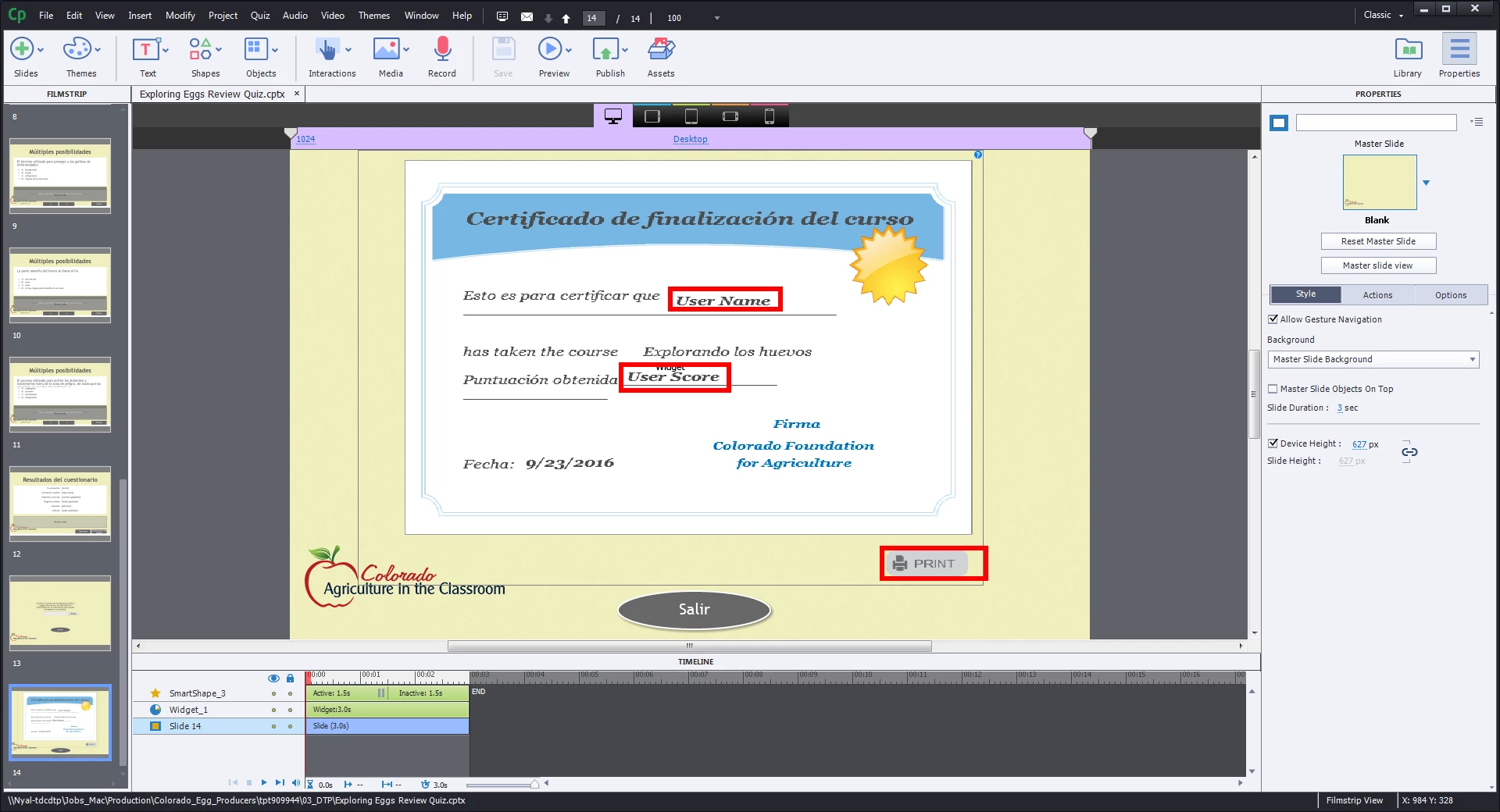
Hello - there are still a few items I can't get to for editing - I'm pretty sure they are the type of this controlled by advanced actions, but  don't know how to apply it here...

Any ideas?
    This topic has been closed for replies.

    2 replies

    Known Participant
    September 23, 2016

    Woo-hoo Thanks... when in doubt, ask a multi-lingual! Umm... I know that some of the buttons come from images which, if you go into the systems folders, you can find. I might take a look there - but I don't want to overwrite the original if I don't have to. You wouldn't have any idea of changing the default button?

    Lilybiri
    Legend
    September 23, 2016

    Are you talking about me being multilingual?

    This is a widget button, not an image button (those you can find in the Gallery). I don't think you can find it, but go ahead.

    If it is for SWF output, an interactive object remains active when covered by a static object which could solve it. But if you want HTML output it is not sure that approach will work.

    Lilybiri
    Legend
    September 23, 2016

    Both those fields will be filled in by system variables when published: cpQuizInfoStudentName and cpQuizInfoPointsscored (or cpInfoPercentage, not sure). However, I don't think you can change the label on the Print button.
