How to fix missing clear and skip buttons on quiz
Hi,
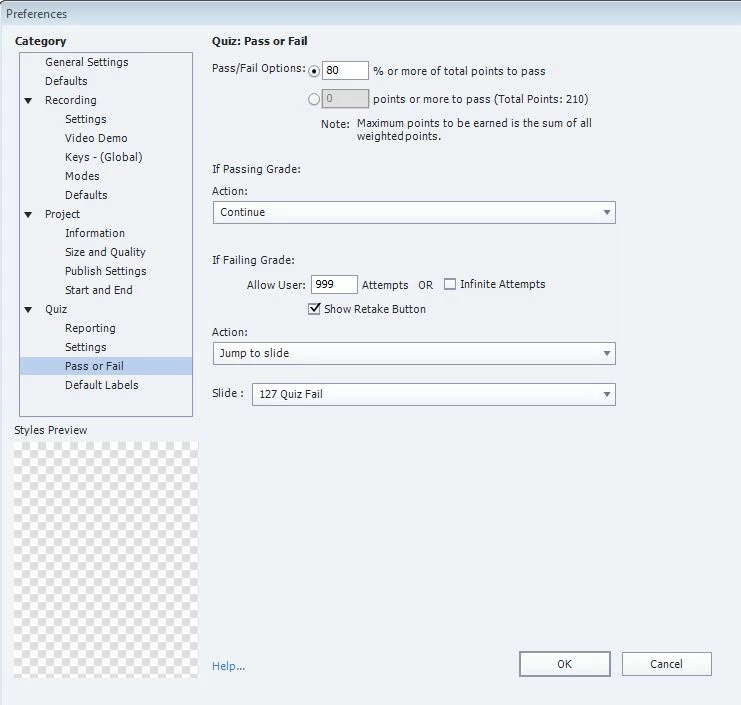
I am using Captivate 8. I have a number of courses set up the same why, wherein if a user fails the test, the jump to a slide that explains they failed the test, then upon hitting the next button takes them back to the beginning of the course again. I am not able to have this function if the infinite attempts is chosen, so I have given the user 999 attempts to do the quiz.
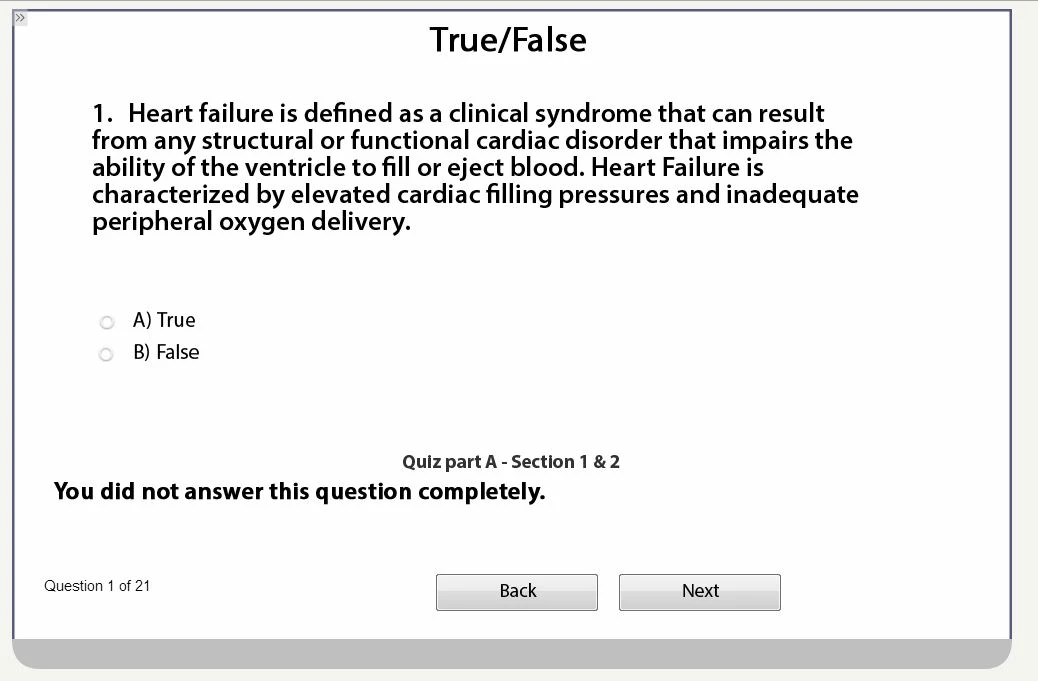
I am now running into a phenomenon where the "clear" and "submit" buttons are missing. It's not on all users. I have checked to see if the user has used up the 999 attempts and they have not. I figure it is a setting but I am nit sure where. Here are my pass/fail settings:
Here is what I see when I launch the course on the net. I use Cornerstone OnDemand, by the way.
I don't know what other data you my need from me, but any help would be great!
Thanks!
Pete
 AdChoices