

How to keep a drop target from accepting a second drag source
I thought I remembered seeing an answer to the question I'm going to ask, but I searched and couldn't find it.
I have a slide that teaches about 8 HR policies. 4 are "do's" (things employees should do) and 4 are "don'ts" (things they should not do).
I have 8 drag sources and 8 drop targets, each for one policy. As you might expect, 4 of the sources/targets are for the "do's" and 4 are for the "don'ts." I've set it up so any of the do sources can be dropped in any of the do targets. Same for the don'ts. (I don't want to force the learner to drop a source on a certain target in this learning experience.)
Here's a very rough conceptual drawing: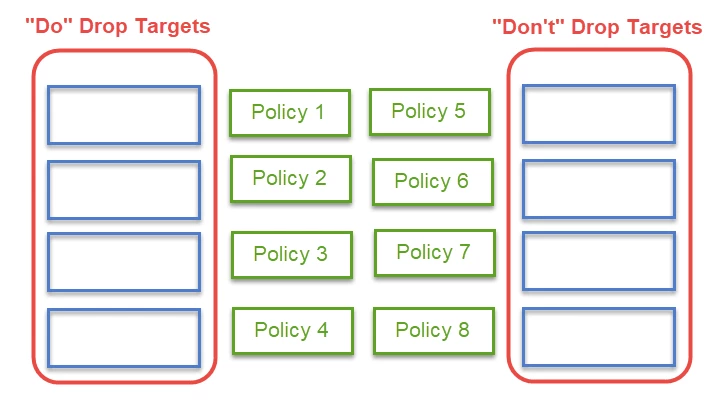
So far so good.
But as I've done user testing, users are finding they can drop a source on a target where they've already dropped a source. They don't like it--it doesn't make sense, and the 2nd source covers up the first. Of course they can re-drag it to an empty target, but they'd prefer not to have to do that.
So here's my question: Once a source has been dropped on a target, how can I keep the target from accepting another source in the scenario described above, where any target of a certain type accepts any source of the same type?
Thanks in advance for any suggestions!
Kathryn


 AdChoices