
Answered
how to remove "Default Progress Indicator Style"
You know that Question %s of %s at the bottom of the page. I can do what it does with System variables and it's hard to edit. But I couldn't delete it. Is there any way to remove it?

You know that Question %s of %s at the bottom of the page. I can do what it does with System variables and it's hard to edit. But I couldn't delete it. Is there any way to remove it?
You don't tell which version you use?
The Progress indicator can be turned off in Quiz Preferences, Settings:
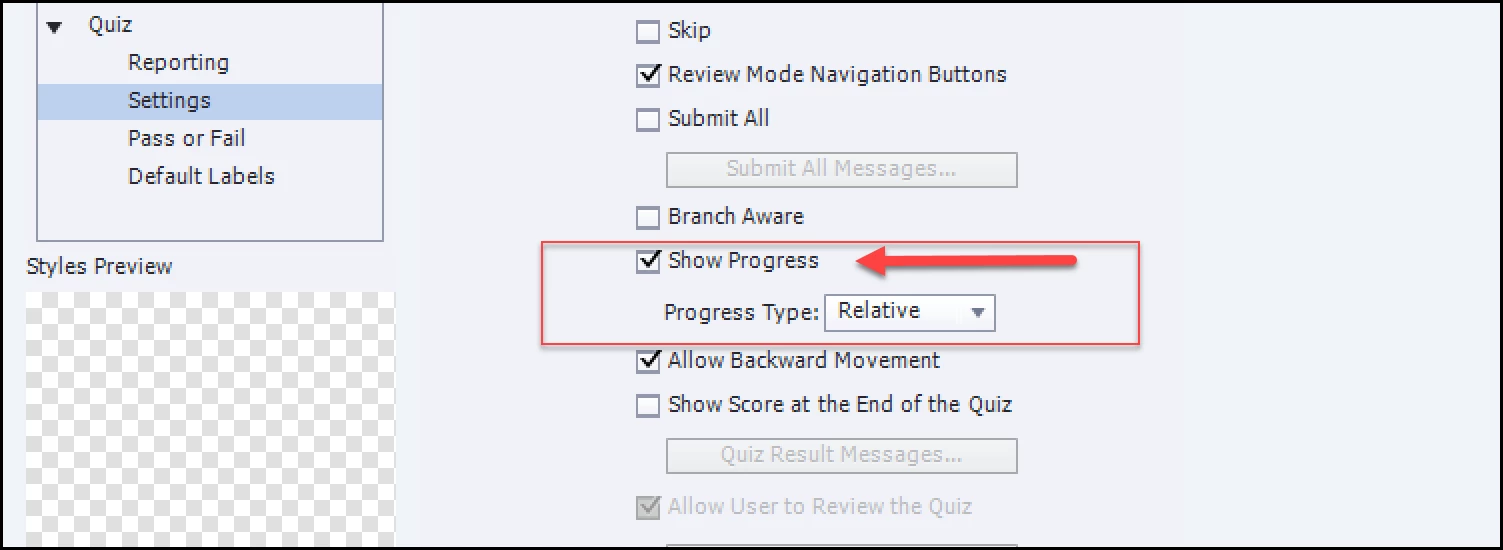
As for editing: Try Quiz Preferences, Default Labels: progress indicator is there to be edited.
Already have an account? Login
Enter your E-mail address. We'll send you an e-mail with instructions to reset your password.


 AdChoices