September 23, 2016
Question

How to scroll thru Master Slide menu?

  • September 23, 2016
  • 2 replies
  • 383 views

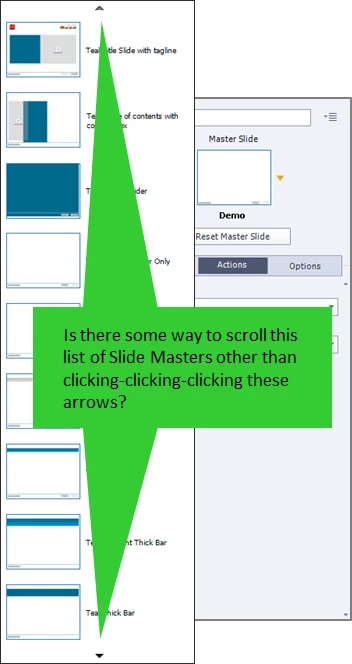
Is there some way to easily scroll through the list of slide masters in Captivate 8? I have 15 or so masters, and whenever I want to change a slide's master I have to click-click-click-click through the list. See attached screenshot. Seems like this ought to be a scrollable list, either with a mouse or with keyboard arrow keys. Am I missing something or is it truly click-click-click? Thx for answering.
    This topic has been closed for replies.

    2 replies

    Lilybiri
    Legend
    September 23, 2016

    I would also recommend to switch to the Expert UI (Preferences, General settings, 4th option). Then you'll be able to make the master slide panel floating, and you can make it as large as you want. Moreover you can have it open at the same time as the Filmstrip, which can be a big advantage.

    Captiv8r
    Legend
    September 23, 2016

    Have you tried using the up/down arrow keys on your keyboard?

    September 23, 2016

    Yes, I have tried the up/down arrow keys on my keyboard. No luck; they do nothing.

    Captiv8r
    Legend
    September 23, 2016

    Interesting. For me, they easily move the selection from one to the next.