


Question
How to set project expiry date in Captivate?
Trial version of Captivate
If you are using a trial version of Adobe Captivate, you cannot set the project expiry date. The expiry date, by default, is set to the date after 30 days from the day of publishing a project.
Licensed version of Captivate
Click Edit > Preferences.
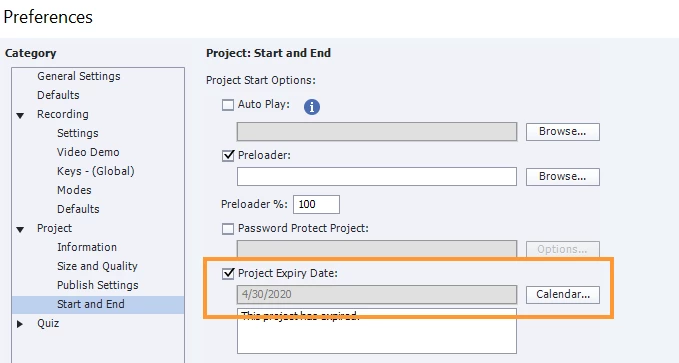
In the Preferences dialog, click Project > Start and End, and enable the option Project Expiry Date. Set the date and enter the message that must appear when the project expires.
To save the changes, click OK.


 AdChoices