
Participant
April 30, 2017
Answered

How to set the image that shows with large play button for simulation start

  • April 30, 2017
  • 1 reply
  • 202 views

I'm new to Captivate and I have created my first simulation and figured out how to turn off auto play but  can't figure out how to use an image as a placeholder with the large play button. 
    This topic has been closed for replies.
    Correct answer Lilybiri

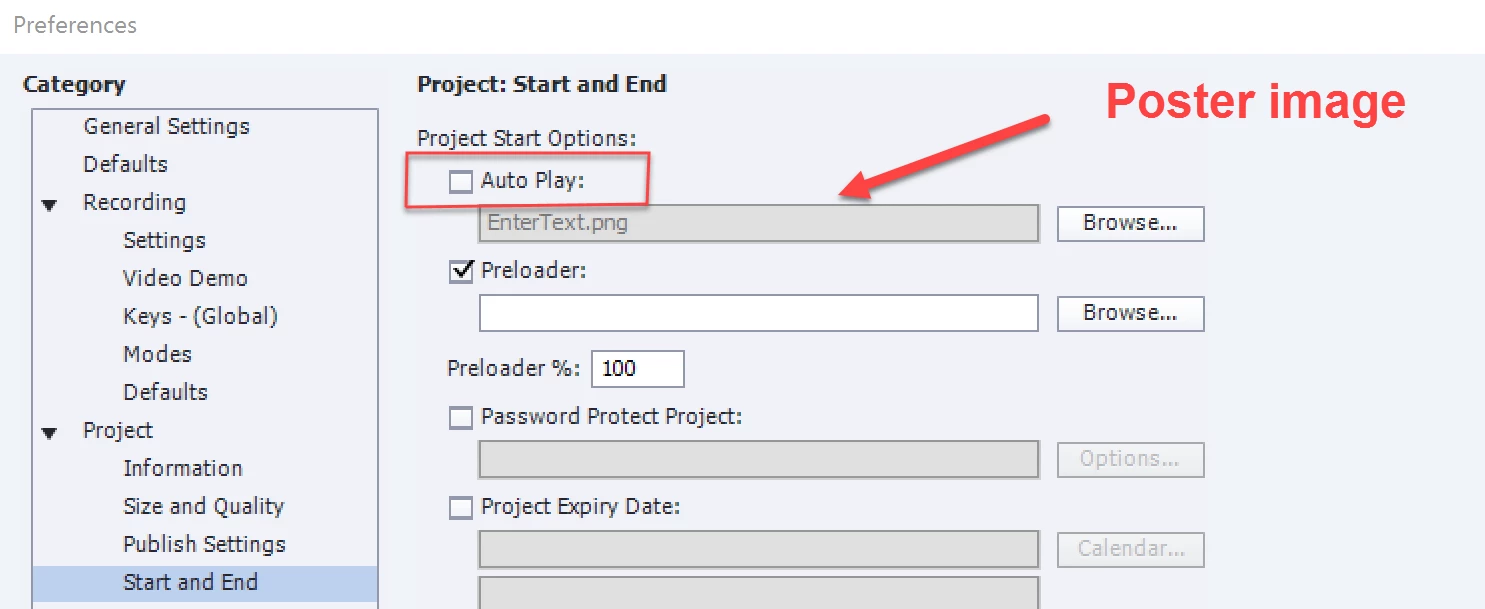
    Go into Preferences, Project, Start and End. Uncheck AutoPlay. Use the Browse button to find the image you want to use as poster.

    1 reply

    Lilybiri
    LilybiriCorrect answer
    Legend
    April 30, 2017

    Go into Preferences, Project, Start and End. Uncheck AutoPlay. Use the Browse button to find the image you want to use as poster.

    Participant
    May 2, 2017

    Thank you